You are here: Home > Device Management > Windows > Policies > Configure Microsoft Defender

Configure Microsoft Defender Antivirus on Windows Devices

Configure Microsoft Defender Antivirus on your Windows Devices from a Policy: real-time protection, cloud protection, scans, exclusions and ASR rules.

2 min read

TL;DR

Open a Windows Policy and go to the Antivirus configuration to manage Microsoft Defender Antivirus through the Defender CSP.

The Antivirus configuration of a Windows Policy lets you manage Microsoft Defender Antivirus on your Windows Devices. It uses the Defender CSP, the interface Windows offers to device management tools for Defender.

Open the Antivirus configuration

Once in the Applivery Dashboard, go to any of your Policies 1 or create a new one. From the left-hand menu, select + Add configuration 2, then locate the Antivirus 3 configuration. The entry shows the number of settings it contains.
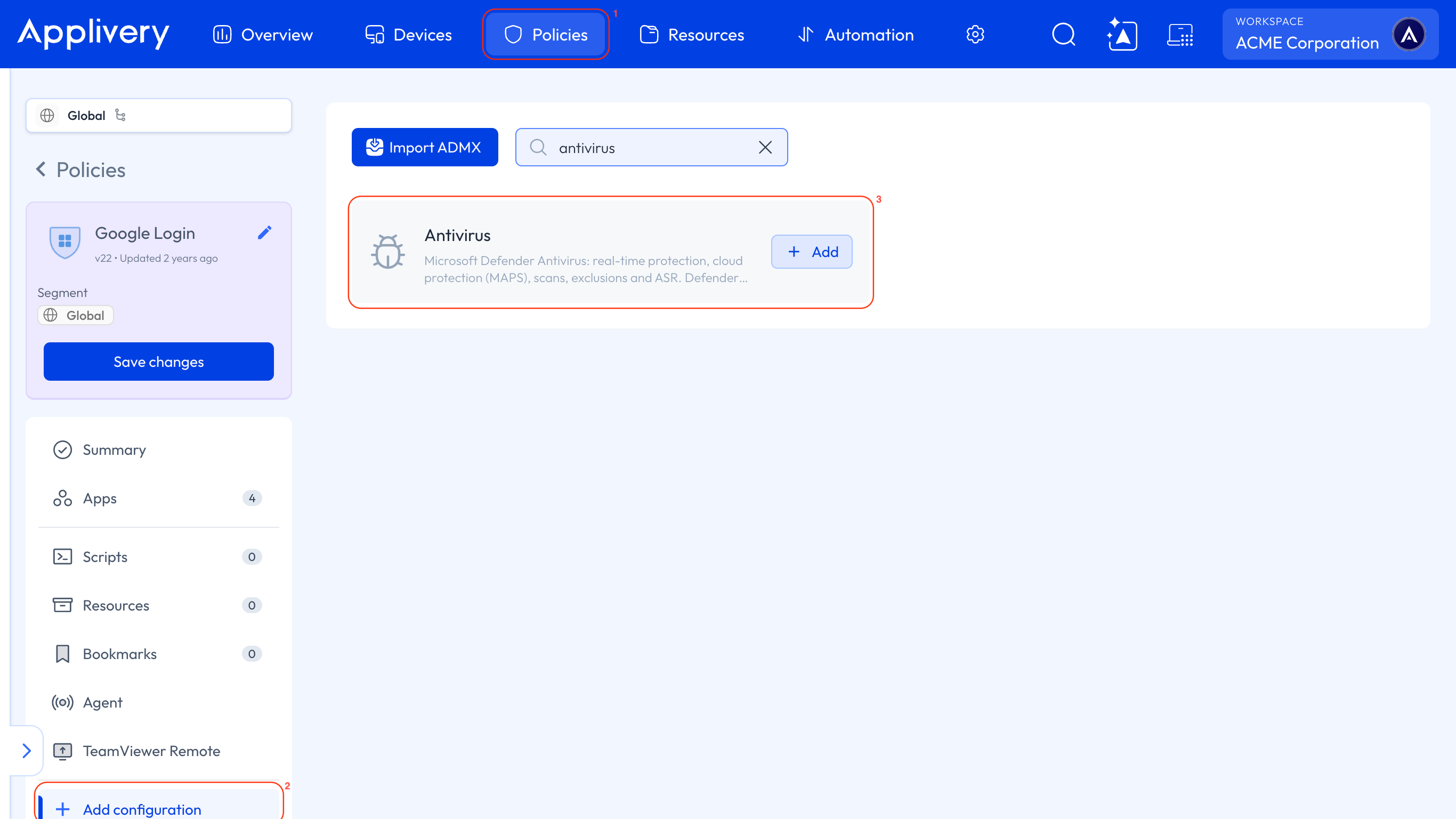
antivirus

What you can configure

  • Real-time protection: how Defender protects the Device continuously.

  • Exploit Guard and ASR: Attack Surface Reduction (ASR) rules block behaviors that malware often abuses to get into a Device.

  • Cloud protection (MAPS): the Microsoft cloud service that Defender uses for cloud-delivered protection.

  • Scans and exclusions: how Defender scans the Device and what it skips.

Warning

An exclusion tells Defender to skip files, folders, or processes, which lowers the protection of the Device. Add exclusions only when a vendor or your security team requires them, and record the reason.

Key Takeaways

  • The Antivirus configuration lives in the Windows Policy.
  • It uses the Defender CSP.
  • It covers real-time protection, ASR, cloud protection, scans and exclusions.
  • Exclusions lower the protection of the Device.

It manages Microsoft Defender Antivirus on your Windows Devices from a Windows Policy.

Go to Policies, open a Windows Policy and open Antivirus in its list of configurations.

Real-time protection, Exploit Guard and ASR, cloud protection (MAPS), scans and exclusions.

A CSP (configuration service provider) is the interface Windows offers to device management tools. The Defender CSP is the one for Microsoft Defender, and it's what this configuration uses.

Attack Surface Reduction rules block behaviors that malware often abuses to get into a Device.

MAPS is the Microsoft cloud service that Defender uses for cloud- delivered protection.

An exclusion tells Defender to skip files, folders or processes, which lowers the protection of the Device. Add one only when a vendor or your security team requires it, and record the reason.

The Antivirus entry of the Policy shows the number of settings it contains.

Was this page helpful?

Last updated: November 6, 2026