

Factory Reset Protection (FRP) stops a stolen or lost Android Device from being reactivated after a factory reset unless someone signs in with an authorized administrator account. On Devices managed through the Android Management API (AMAPI) — like the ones Applivery administers — this protection is not enabled automatically: you have to set the Frp Admin Emails field in the Policy explicitly.
What is Factory Reset Protection?
Factory Reset Protection is an Android security feature that blocks a Device after a factory reset until someone signs in with an authorized Google account. Its goal is to discourage theft: a Device with FRP active that is reset "the hard way" — for example, from the recovery menu — becomes unusable to anyone who doesn't know the credentials of the linked account.
In the consumer world, FRP turns on as soon as there's a Google account on the Device. On Devices managed through AMAPI, this behavior is different and must be configured explicitly.
How FRP behaves on AMAPI-managed Devices
This is the most important nuance, and the one that most often causes operational confusion.
On AMAPI-managed Devices, FRP only activates if the Policy defines Frp Admin Emails. If this field is absent or empty, the Device offers no factory reset protection — even if a Google account is present.
Android's behavior also distinguishes how the reset was started:
Reset from the Device's Settings (the user is already signed in as owner): on many Fully Managed Devices, a reset started from Settings by the signed-in user doesn't trigger FRP the same way a "forced" reset does. Even so, protection still depends on Frp Admin Emails being configured correctly.
Reset by other means (recovery menu, remote wipe command, theft with physical extraction): if the Policy has Frp Admin Emails set, the Device requires the email and password of one of those accounts to finish provisioning.
The Frp Admin Emails field
Frp Admin Emails is a top-level field in the AMAPI Policy resource. Applivery exposes it through its Android Policies — the same mechanism other AMAPI settings not covered by a native Dashboard control (such as Network Escape Hatch Enabled or Advanced Security Overrides) use to be applied directly.
Field | Type | Description |
|---|---|---|
Frp Admin Emails | array of strings | Email addresses of the Google accounts authorized to unlock the Device after a factory reset. If empty or absent, the Device does not enforce FRP. |
Once in the Applivery Dashboard, go to any of your Policies. From the left side menu, go to Security, locate FRP Admin Emails, and click + Add element to add each authorized account.
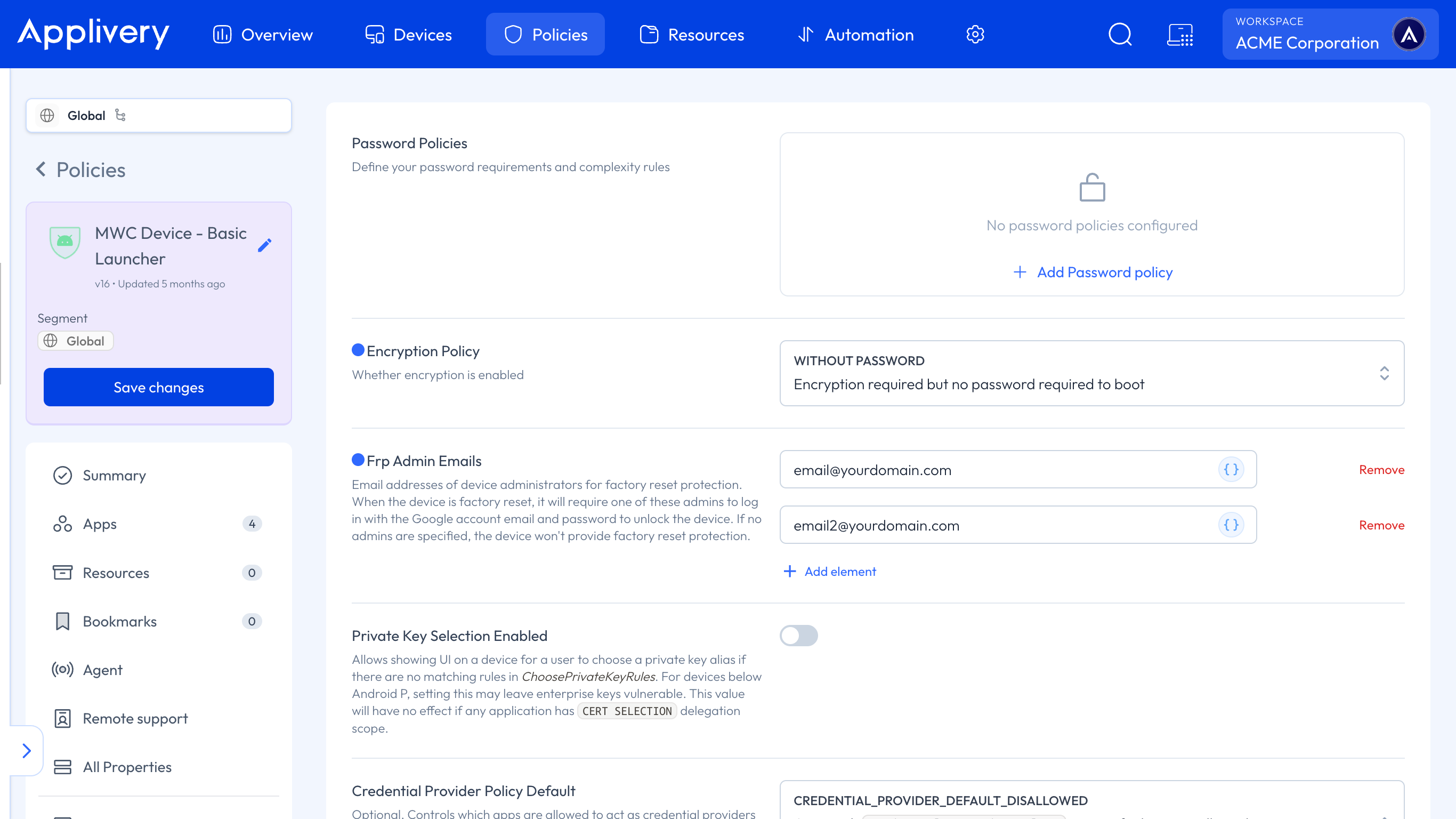
Include at least two accounts in FRP Admin Emails — for example, a team account and a direct manager's account. This prevents a Device from becoming permanently locked if a single administrative account is no longer available.
Should I enable FRP on all my Devices?
It depends on the balance between security and day-to-day operations in your organization:
Scenario | Recommendation |
|---|---|
High-value corporate Devices at risk of theft (couriers, field sales, Devices that leave the premises) | Enable FRP with FRP Admin Emails pointing to an IT-managed team account |
Devices frequently reassigned between employees or returned to IT for re-provisioning | Weigh whether FRP adds operational friction; if your offboarding process isn't well oiled, a Device can end up locked to someone no longer in the organization |
Dedicated / kiosk Devices with no personal user account | Usually adds no value, since there's no end-user Google account to protect |
Preserve Frp: FRP and compliance rules (automatic wipe)
When a Device is wiped automatically for policy non-compliance (through Policy Enforcement Rules), the Preserve Frp field inside the Wipe action configuration decides whether FRP data survives that wipe. You configure it in the Compliance section of your Policy, under Policy Enforcement Rules.
Field | Location | Type | Behavior |
|---|---|---|---|
Preserve Frp | Policy Enforcement Rules > Wipe Action > Preserve Frp | boolean | If |
Preserve Frp only has an effect if the Device already had FRP Admin Emails configured. It does not enable FRP on its own.
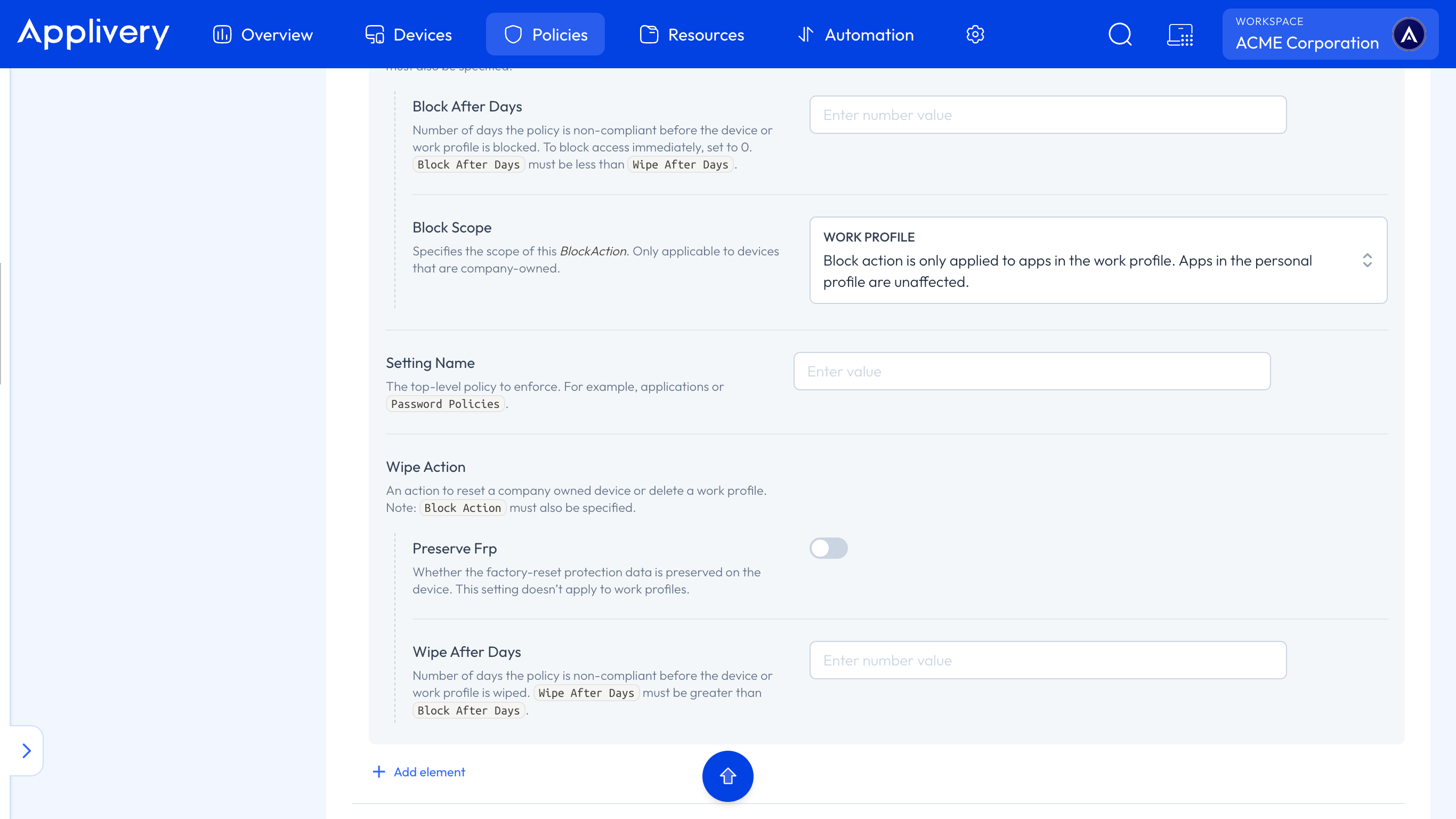
For the full compliance-wipe configuration, see Enforcement Rules.
Known limitations
Doesn't apply to work profiles (Work Profile / COPE). FRP Admin Emails operates at the full-device level ("Fully Managed" mode).
Requires the Device to have FRP Google accounts registered before the reset. If the Device never had an account associated through the Policy, there are no credentials to ask for.
Troubleshooting
A Device is locked by FRP and can't be re-provisioned
Confirm which accounts were in FRP Admin Emails on the Policy the Device had assigned before the reset.
Ask a holder of one of those accounts to enter their credentials on the FRP lock screen during Device setup.
If none of the FRP Admin Emails accounts are available (for example, an employee who took their access with them), you'll need to handle Device recovery directly with Google or the manufacturer. Applivery has no remote mechanism to bypass FRP once it's active.
I need a batch of new Devices to never be protected by FRP
Make sure the provisioning Policy doesn't include FRP Admin Emails, or that the array is explicitly empty.