
This feature may vary depending on your current plan. Check the availability on our pricing page.
Build Retention allows you to define how long uploaded Builds are stored in Applivery before they are automatically archived and permanently deleted.
Previously, uploaded Builds were kept indefinitely. With this new system, Builds are now retained based on your subscription plan and retention settings.
Unlimited retention is only available for Enterprise plans and must be explicitly enabled upon request.
Once a Build reaches the end of its retention period, it moves to the Pending deletion stage, where it remains for a 30-day grace period before permanent deletion.
Automatic retention rules
Even with retention limits in place, Applivery automatically preserves a minimum number of recent Builds per Publication.
This ensures that you always have access to the most recent Builds for every App Publication within your Workspace.
When the retention limit is reached, the oldest Builds are deleted first while newer ones are retained.
Configuring Build Retention
You can configure Build Retention at two levels:
Workspace level.
App level.
Workspace level
Once in the Applivery Dashboard, navigate to your Workspace Settings 1, select Storage 2 from the left-hand menu and scroll down to locate the Build retention policy 3 configuration.
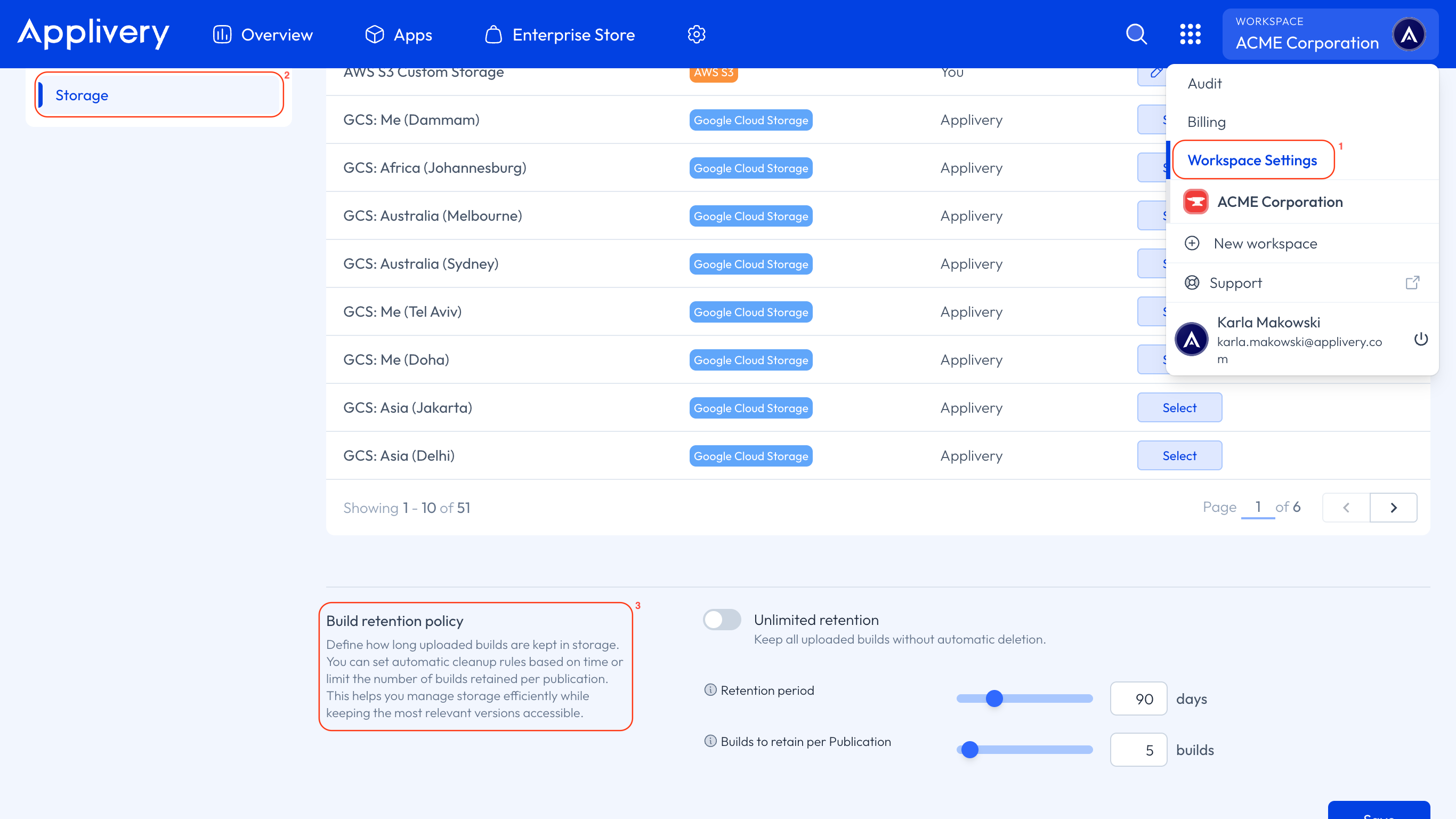
Here you can:
Specify the retention period (the number of days a Build is kept before being deleted).
Set the number of recent Builds to retain per Publication (these are preserved even beyond the retention period).
By default, all Apps within the Workspace inherit these settings.
In Enterprise plans, you can enable Unlimited retention if it has been previously activated after contacting our team. For other plans, you can adjust the values within the limits of your subscription.
App level
Once in the Applivery Dashboard, select the App you want to configure, then go to the Settings tab and open the Advanced section.
Locate the Build retention policy configuration.
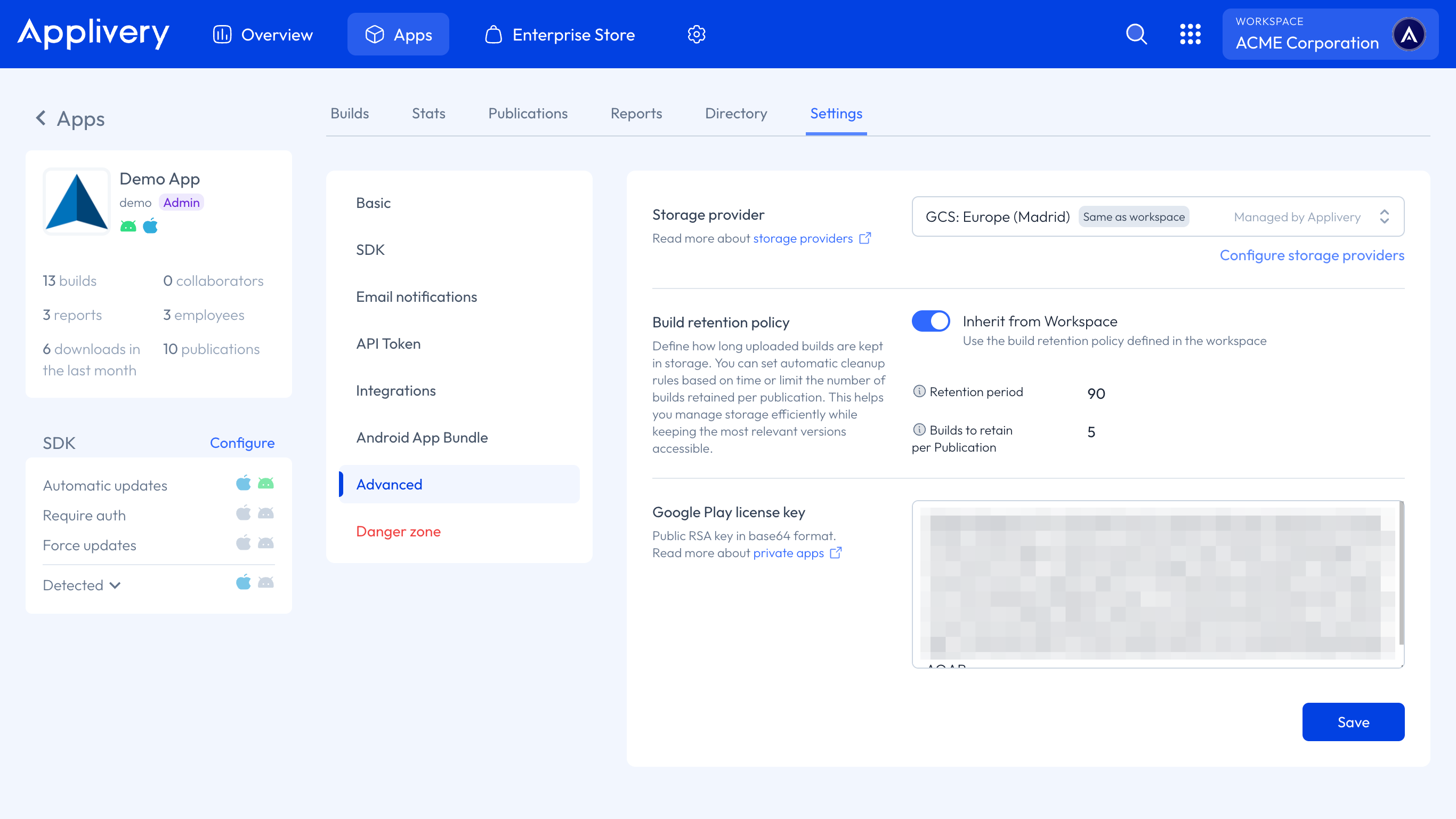
At this level, you can:
Inherit Workspace settings, or
Define a custom retention policy for that specific App — including unlimited retention (if available in your plan) or a custom retention period and number of Builds to retain per Publication.