
When managing Android Devices with Applivery, it’s not just about installing or blocking Apps. Many applications allow you to adjust their behavior through what are known as Managed Properties. These properties let you preconfigure certain aspects of Apps (such as URLs, permissions, default behavior, etc.) even before the user opens them for the first time. Everything is done from the Applivery Dashboard—no need to touch the Device.
What are Managed Properties?
Managed Properties are configuration options that an App offers when it is managed through an MDM system. For example, an email App might allow you to preconfigure the server, port, and whether SSL is required.
Applivery automatically detects these properties in compatible Apps and allows you to modify them from the Dashboard.
How to configure them?
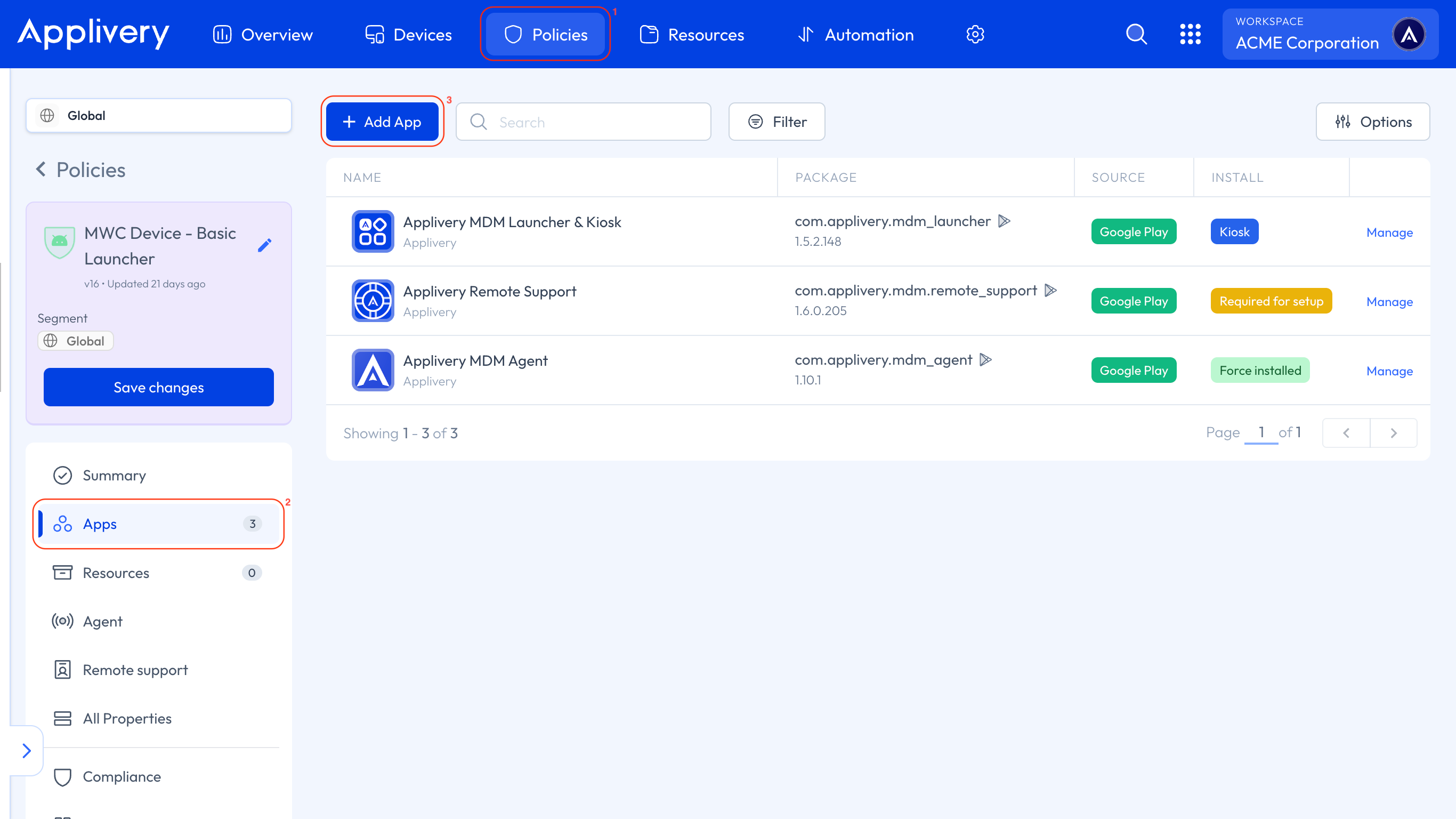
Once in the Applivery Dashboard, go to any of your Policies (1). Select the Apps (2) section in the left-hand menu, and click the + Add App button (3).
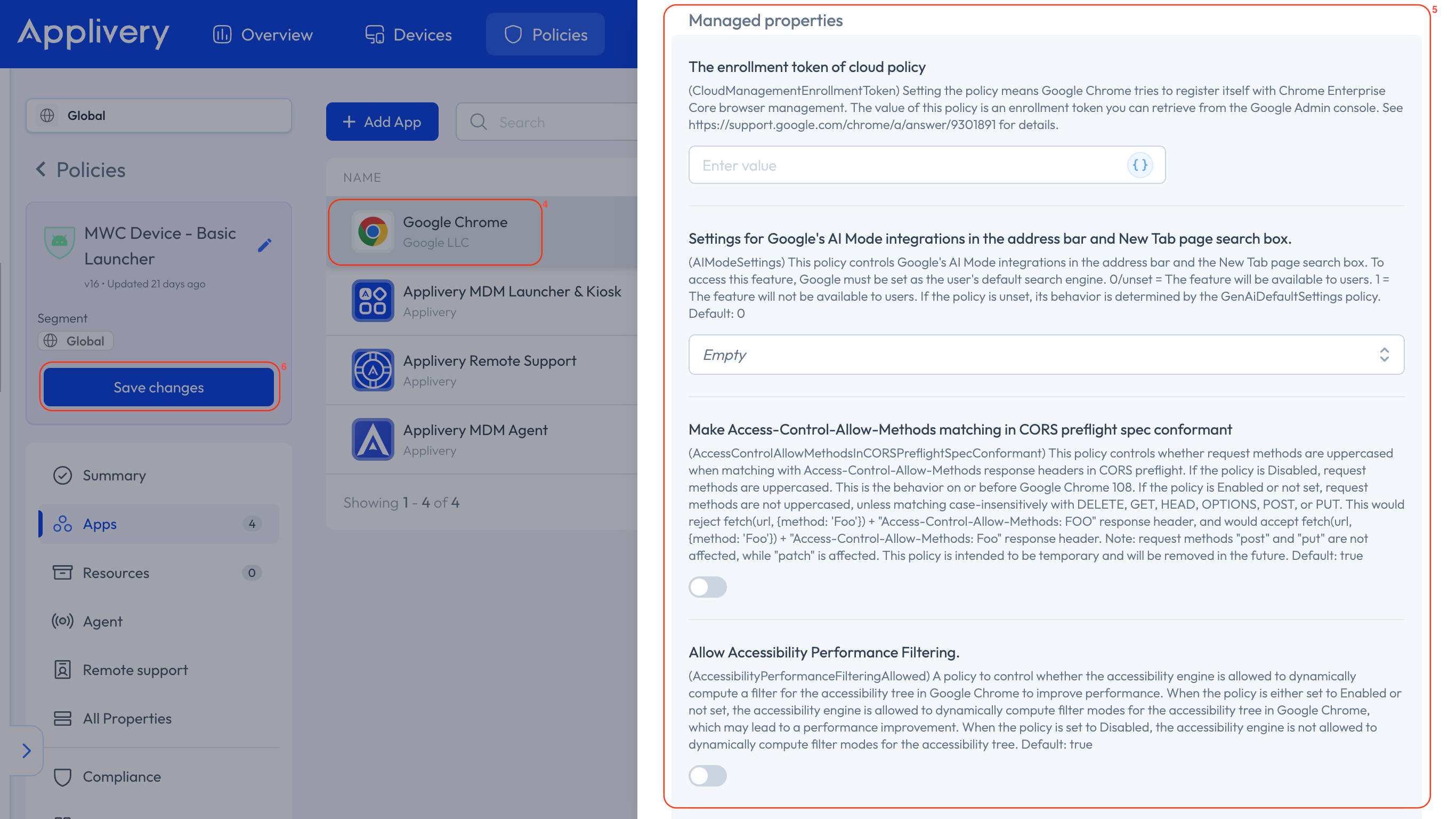
Choose an App (4) from the list, and when you click on it, a side menu will appear displaying all the configurable properties available (5).
Simply fill in the fields based on the settings you want to apply.
Once you’re done, click the Save changes button (6) and deploy the Policy to the selected group of Devices—the settings will be applied automatically.
Managed Properties are a powerful tool for customizing how Apps behave on managed Devices, without relying on the end user. They help save time, reduce configuration errors, and ensure a more consistent and secure user experience. All from the Applivery Dashboard, with just a few clicks.