
Favicon

You are here: Home > Device Management > Apple > iOS & iPadOS > Commands > Set Time Zone

Set Time Zone

Learn how to remotely set the time zone on supervised iPads and iPhones running iOS/iPadOS 14 or later using Applivery's device management features.

3 min read

TL;DR

Use Applivery to remotely set the time zone on supervised iOS devices (iOS/iPadOS 14+) via the Device Management section.

With Applivery, you can change the time zone on a supervised iPad or iPhone with iPadOS or iOS 14 or later.

Note

The time zone cannot be changed on devices with the Force Automatic Date and Time restriction enabled.

Setting the Time Zone

Once in the Applivery Dashboard, go to any of your Devices. Click the Action button and select Set Time Zone.

Ensure the time zone entered is a valid IANA time zone name.
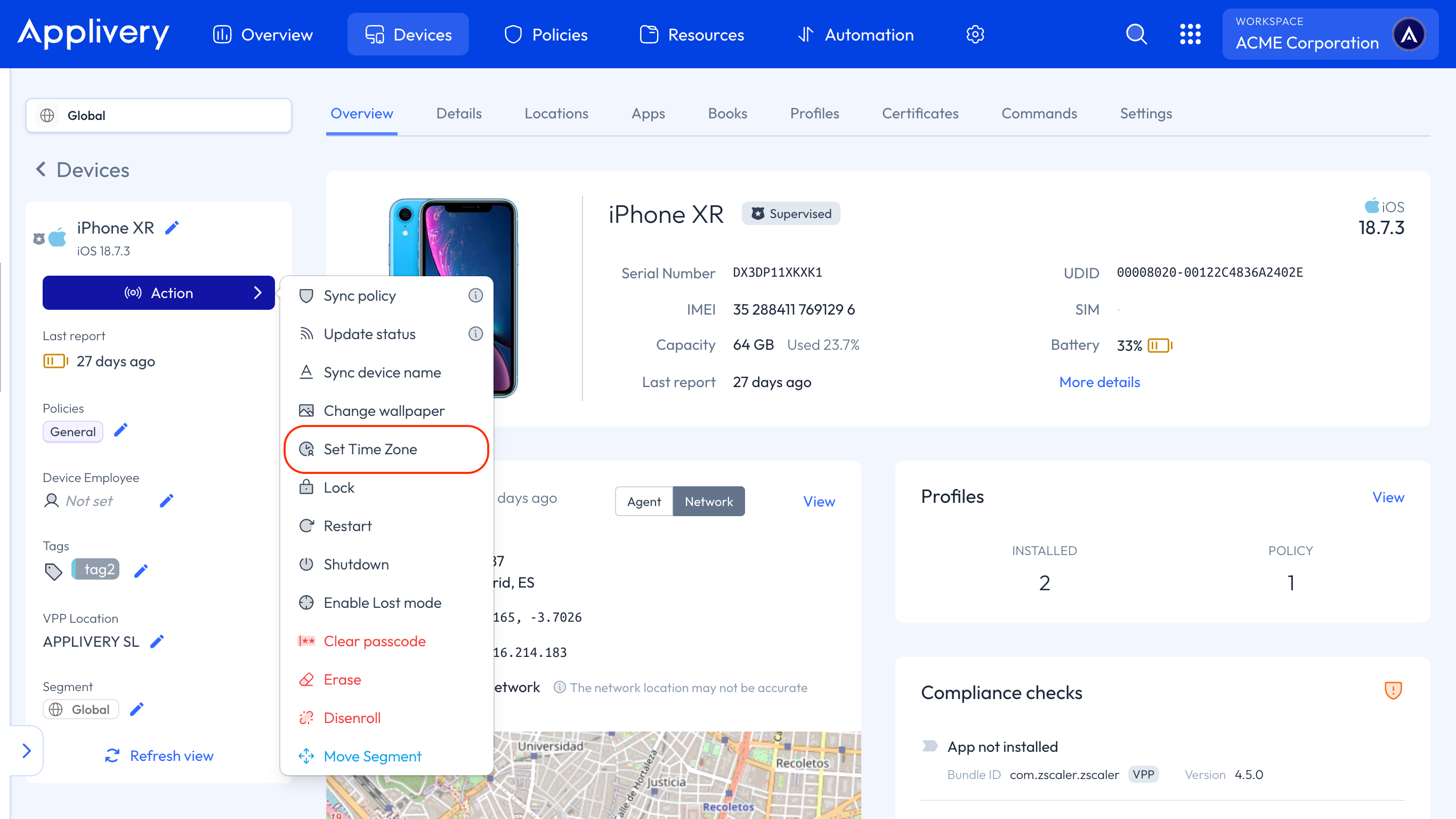
time zone
Note

Additionally, you can set the time zone in bulk from the Devices list by clicking the Action button, selecting Apple as the platform, and choosing the Set Time Zone command.

Key Takeaways

  • Applivery allows remote time zone configuration on supervised iOS devices.
  • Requires iOS/iPadOS 14 or later.
  • Time zone must be a valid IANA name.