
Customizing the layout of Managed Google Play lets organizations create a structured and user-friendly App storefront for their Android fleet. IT admins can organize approved Apps into collections, pages, and clusters, ensuring employees can quickly find and install relevant tools. This tailored approach boosts productivity and clarity, enabling businesses to present work Apps by category and simplify navigation—providing a branded, intuitive experience for end users across all managed Devices.
Play Store setup
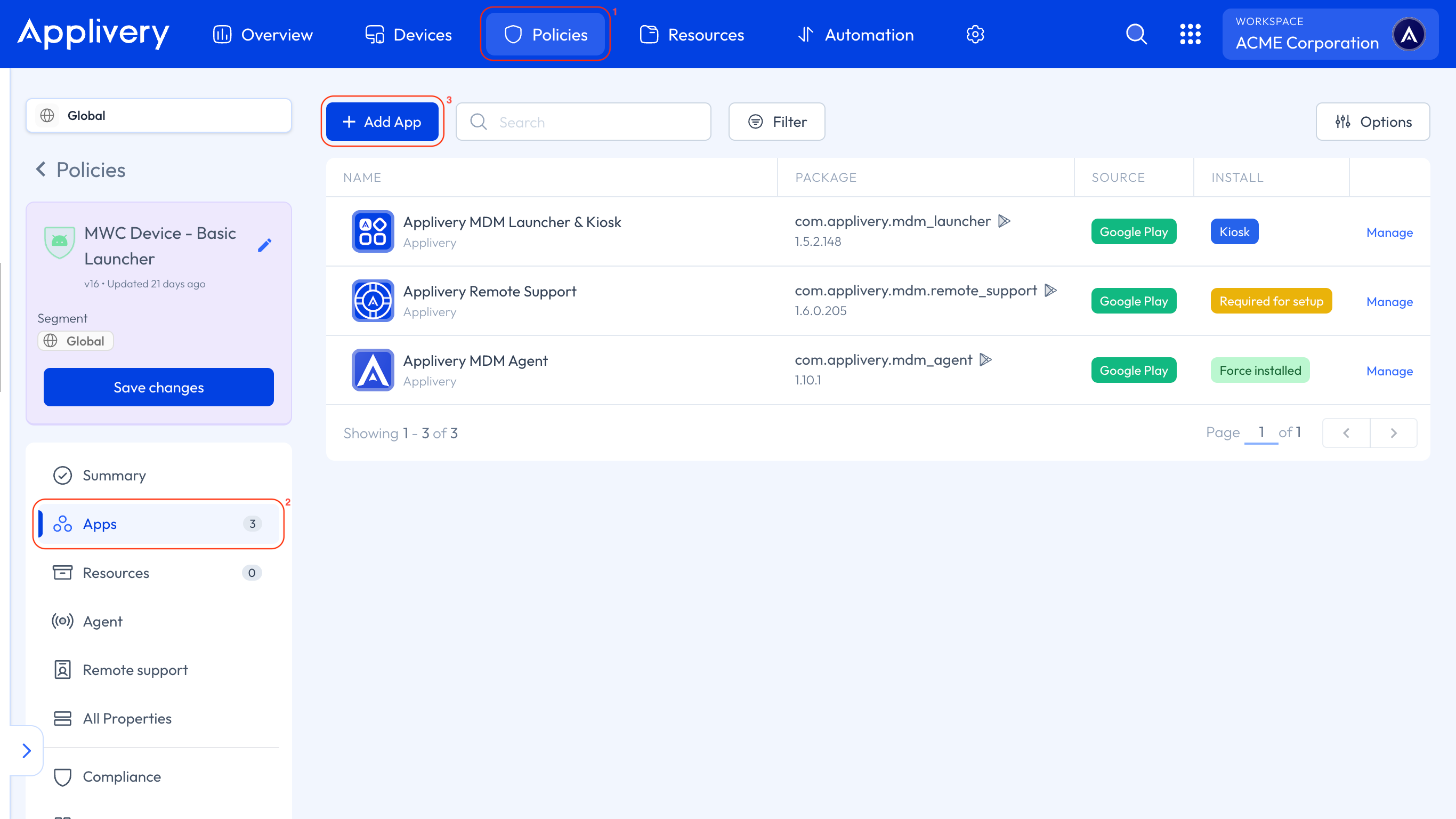
Once in the Applivery Dashboard, go to any of your Policies (1). From the left side menu, go to Apps (2) and click the + Add App button (3).
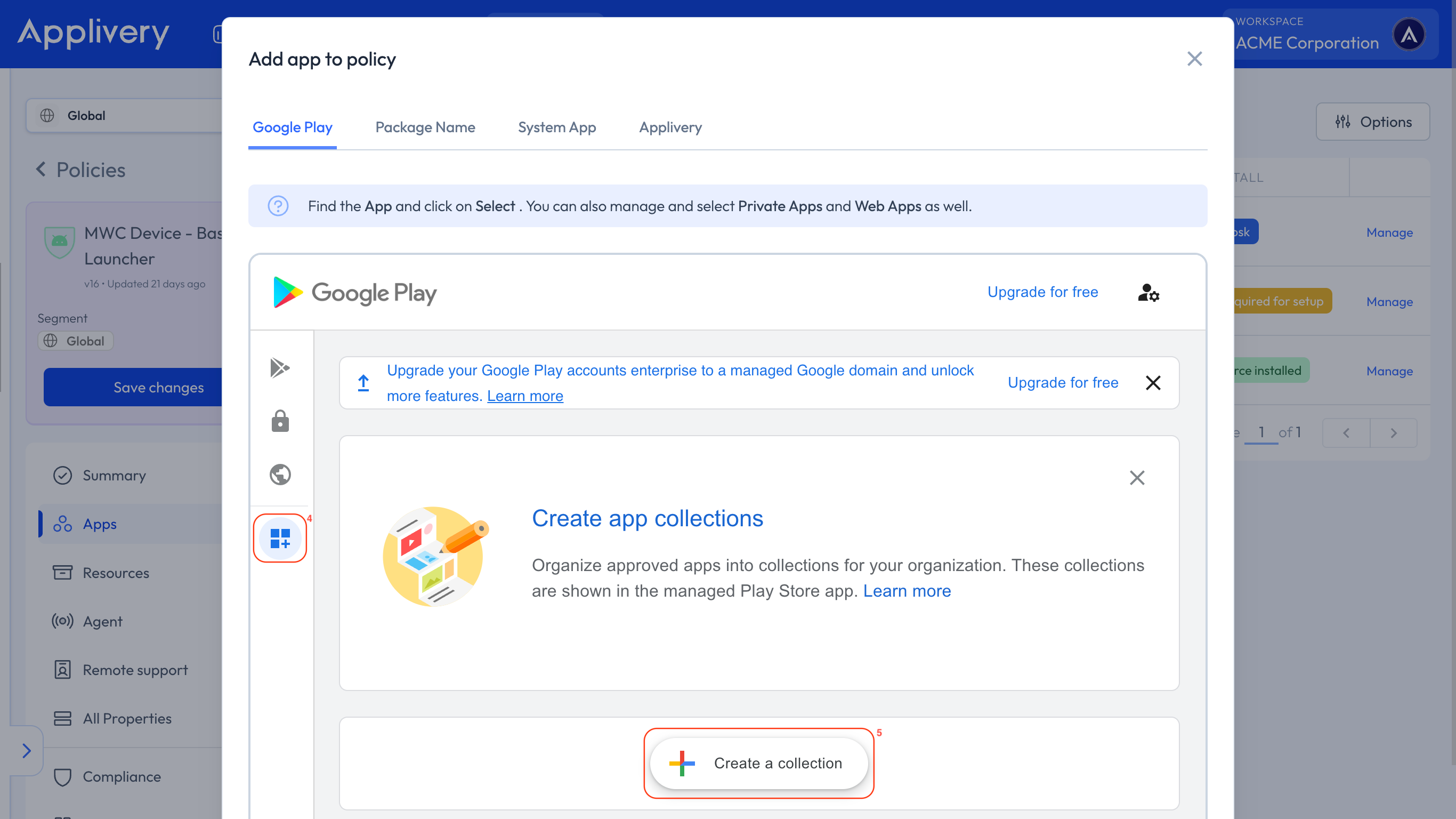
This will open your Managed Google Play iFrame. Once it loads, click Organize Apps (4) to start arranging your App layout, then select Create a collection (5).
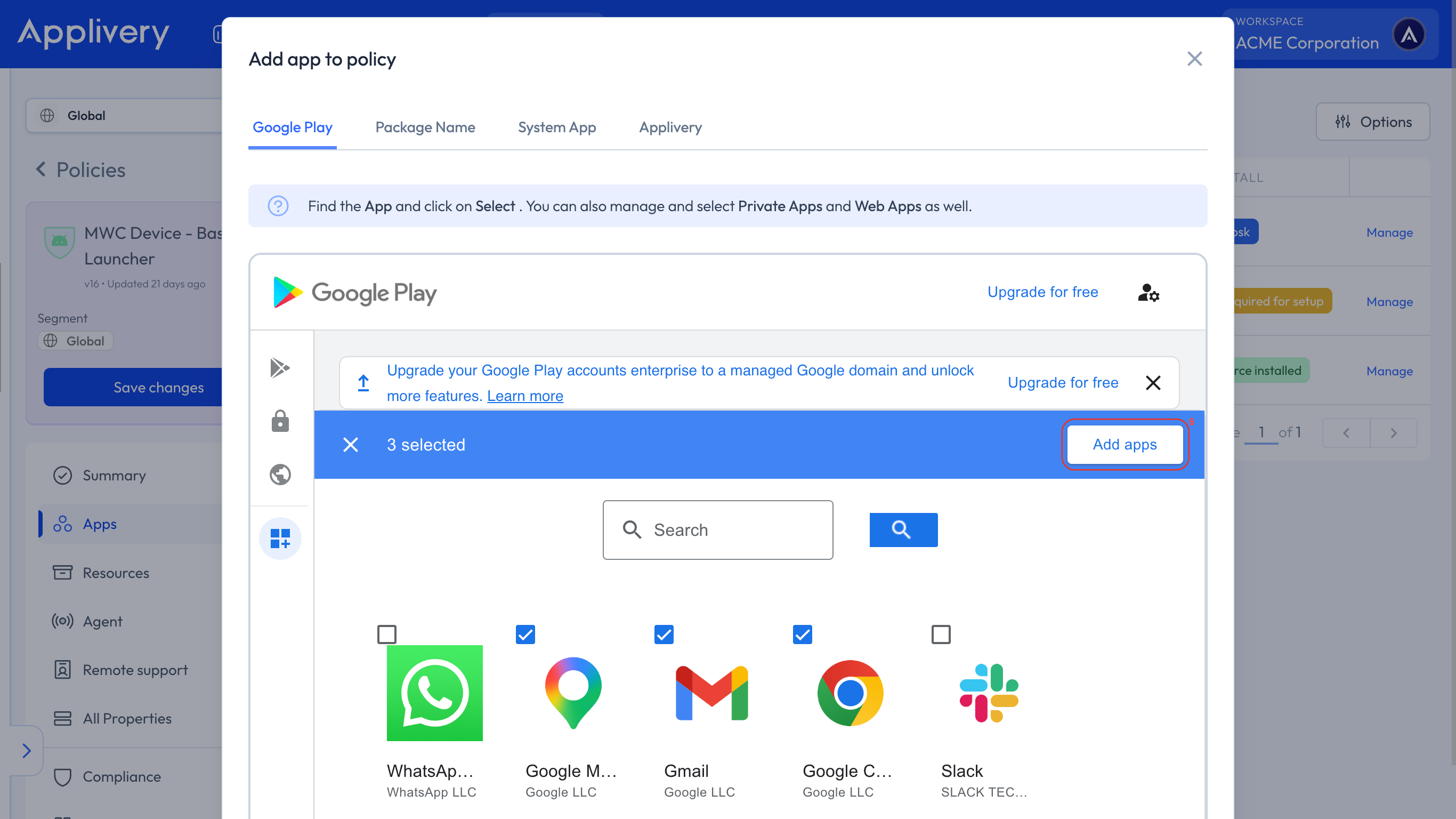
Enter the name you want for the collection and click Next. Then, select the applications you’d like to include and click Add Apps (6). Your collection will now appear in the list of created collections. Finally, click Save.
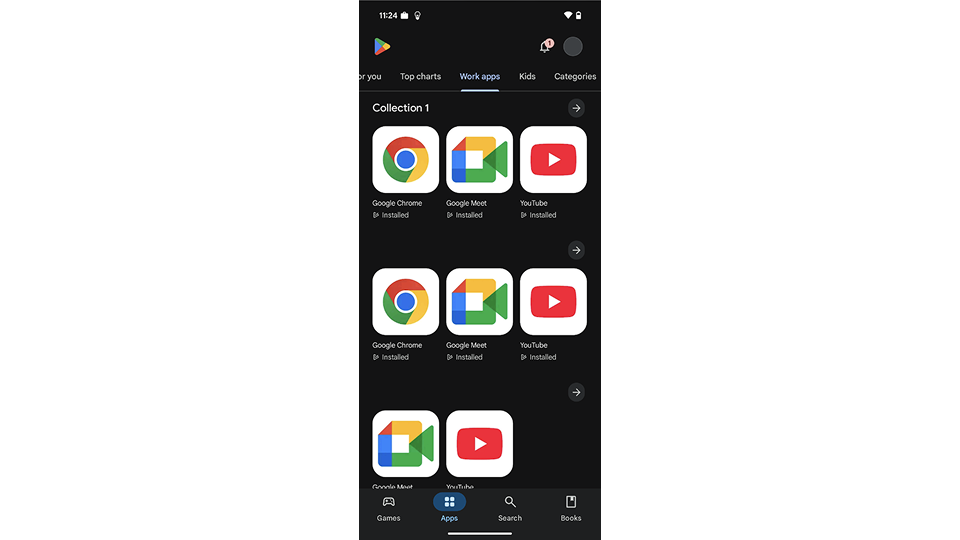
Once the Policy is saved, employees accessing Managed Google Play from their Devices will see a dedicated Work Apps section. There, they’ll find the collections you’ve created and can directly download the applications included in each one.
Collections in Managed Google Play allow organizations to centralize and simplify access to work-related applications. This feature helps administrators ensure employees can easily find the tools they need, boosting productivity and minimizing security risks. With just a few steps, you can create a more organized, secure, and efficient workspace.
Regularly review and update your Managed Google Play collections to ensure employees have access to the most relevant and up-to-date Apps.