
This feature is only available for macOS.
When enrolling Devices through the Apple Device Enrollment Program (DEP), as part of the Apple Business integration, you can automate the creation of local user accounts during provisioning. Below, you can see how you can automate local account creation under the following use cases:
Pre-defined account configuration by the IT administrator.
Pre-filled account creation based on Single Sign-On information.
Automatic account creation based on Single Sign-On information.
Configuring local accounts in Smart Enrollments
The first step is to create a new Smart Enrollment and configure the Account configuration.
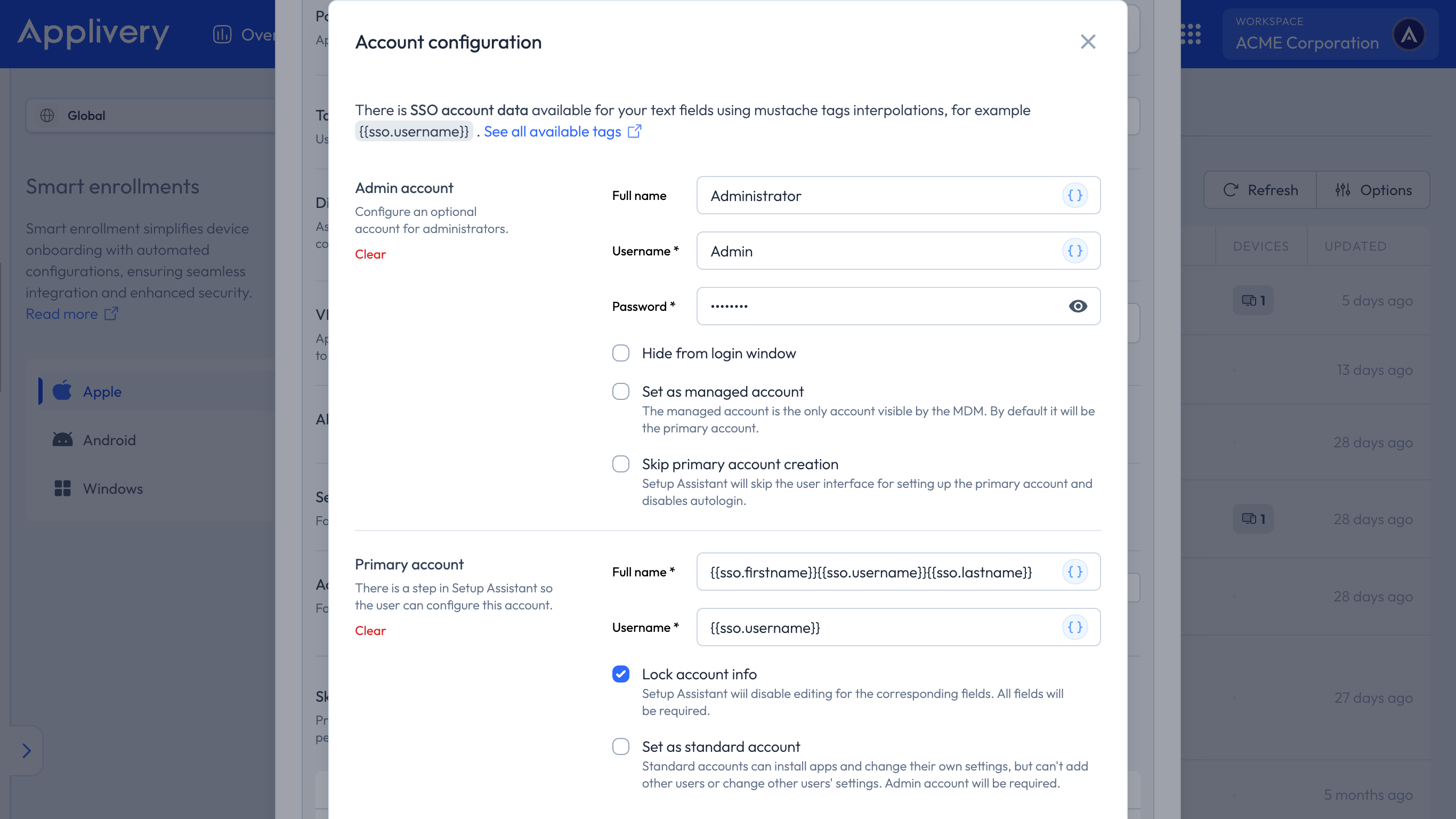
During the automatic local account creation, you will be able to configure the Admin account details (including password) and Primary account details. The Primary Account will be created as an Admin Account by default unless it is set as a standard account in the form. It can be locked so that the user cannot modify the data during Device configuration.
By Apple’s design, the Primary Account password cannot be configured remotely. It must be set by the user during Device setup.
Using SSO user data in forms
When integrating any Single Sign-On provider in Applivery, we will be able to retrieve from the Identity Provider directory some of the user data fields as variables so that you can use them to automatically fill out some fields, for instance, for automatic local account creation in Apple Device Management for MacOS.
Below you can see the entire list of fields that will be accessible:
{{sso.firstname}}: User’s first name.{{sso.lastname}}: User’s last name.{{sso.username}}: User’s username.{{sso.email}}: User’s full email address.{{sso.email.username}}: User’s email address username.
Note that you can combine the tags above to create complex structures such as the following one:{{sso.firstname}}.{{sso.lastname}} will be automatically translated to john.doe if {{sso.firstname}} contains the value john and {{sso.lastname}} contains the value doe.