
Can’t find it on the App Store? No worries! The Applivery macOS App Catalog manages it all.
With the Applivery macOS App Catalog, you can easily install macOS applications that aren’t yet on the App Store. Our platform simplifies the entire process, from downloading to installing any application. We host and update all applications for you, giving you full control over deployment and user access.
You decide how Apps are deployed to your users, whether by enforcing installations or making them available for self-service.
What is Applivery macOS App Catalog?
The Applivery macOS App Catalog consists of popular macOS software, ready for you to include in your Policies and distribute to your Devices. Current Apps are updated regularly, with new ones continuously being added.
How to add an App to your macOS Policy
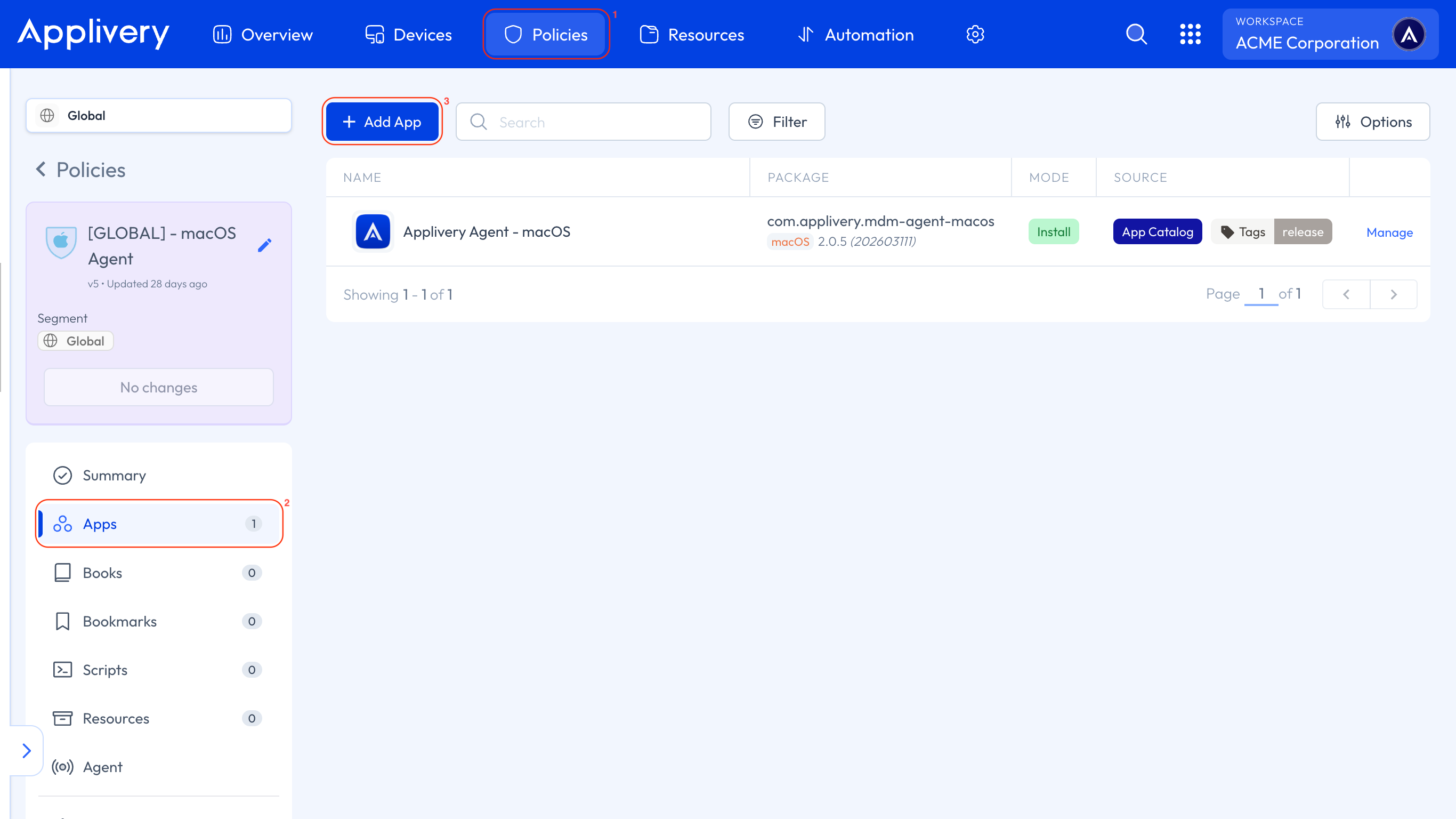
Once in the Applivery Dashboard, go to any of your Policies (1) or create a new one. From the left-hand menu, select the Apps (2) section and click the + Add App (3) button.
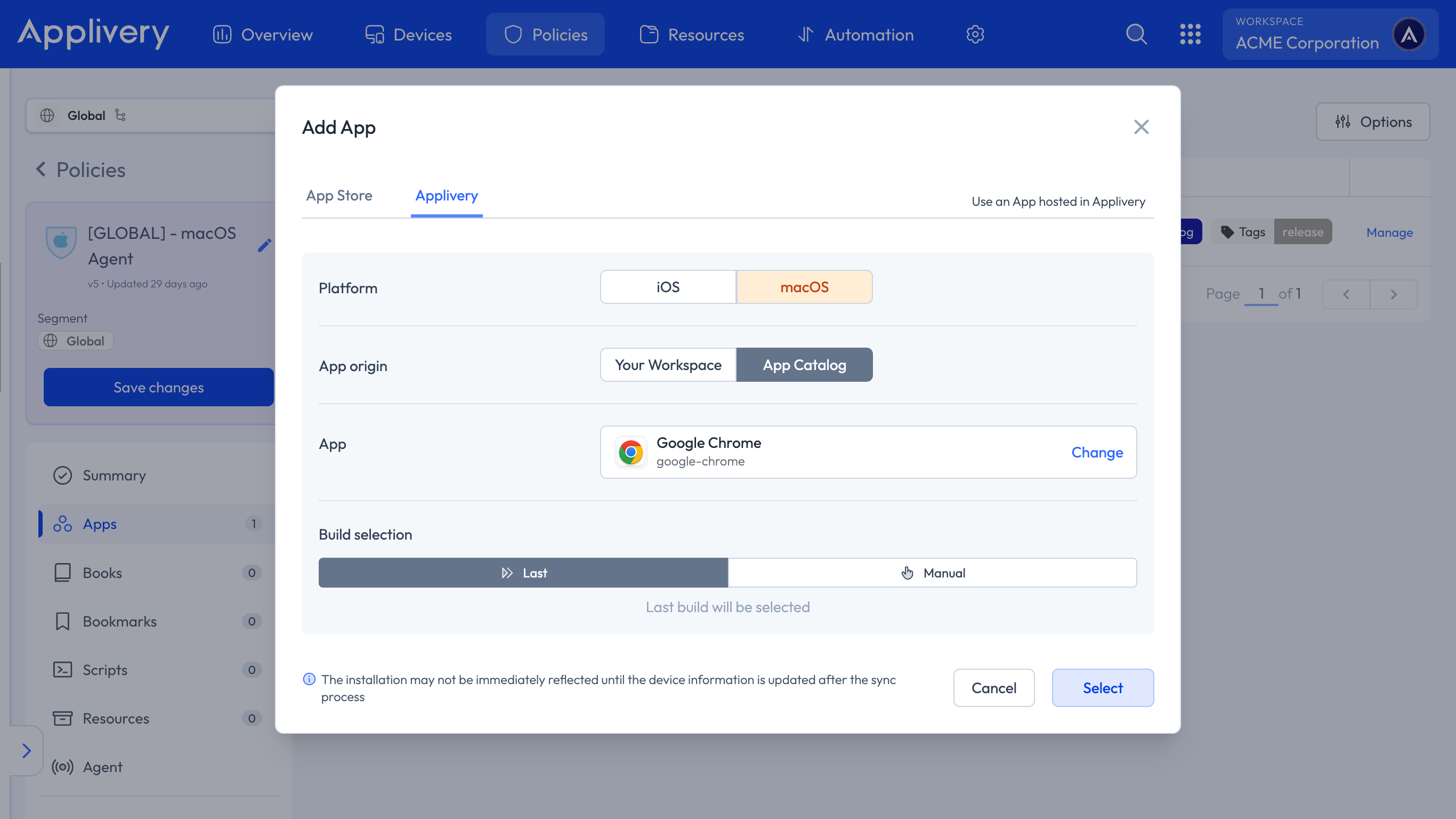
Once the modal view appears, navigate to the Applivery tab and select macOS as the platform. For the App Origin, select App Catalog. This will display the complete list of currently available applications.
Additionally, in the Build selection, you can choose whether you want to install the latest version automatically or manually specify the version you wish to install.
Available Apps
Here's a glimpse of some of the Apps available in the catalog:






Explore all Apps on the Applivery macOS App Catalog.
Requesting an App
If you have an App in mind that you’d like us to include, please let us know through the App request form.
The demand for an App will greatly determine its priority for becoming an App of the Applivery macOS App Catalog. In addition, the basic requirements for an App to be included are:
The App must not be available on the Mac App Store or Apple Business.
The application must be intended for business or enterprise use.