
Android 15 streamlines the process of adding, removing, and provisioning eSIM profiles on both Company-Owned and managed BYOD Devices. This means IT admins can now take advantage of a more unified and consistent experience across Device types, helping organizations reduce operational complexity and improve deployment efficiency.
Applivery integrates seamlessly with these new capabilities, allowing admins to centrally manage eSIMs across their Android fleet. By using Applivery, you can remotely:
Install and provision new eSIM profiles.
Remove or replace existing eSIMs.
Automate eSIM workflows for device onboarding or user transitions.
Maintain a consistent and secure mobile connectivity experience without the need for physical SIM handling.
Adding an eSIM to your Device
Once in the Applivery Dashboard, select any of your Devices.
Click the Action (1) button and choose Add eSIM (2) from the dropdown menu.
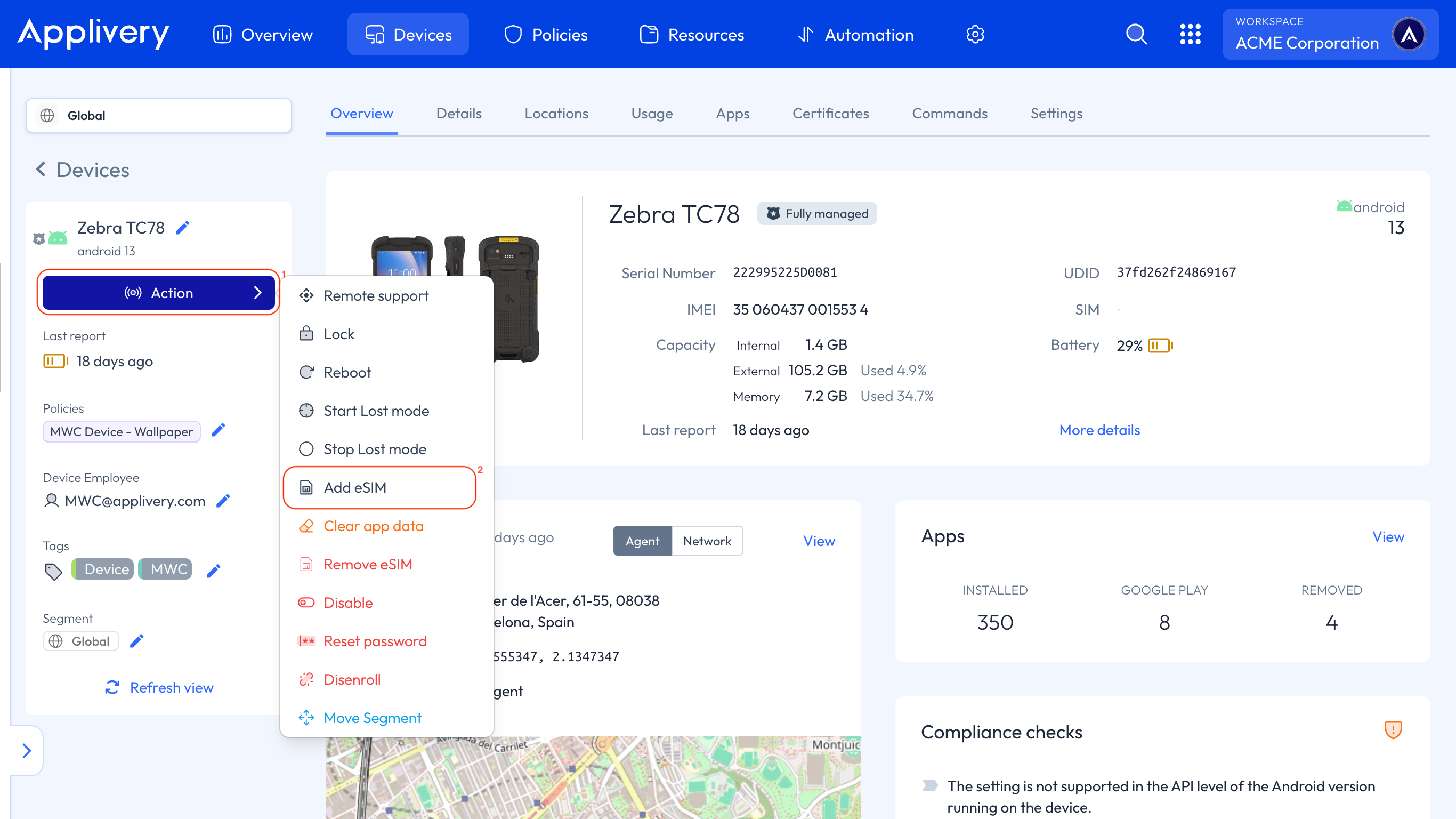
A modal window will open, where you can provide:
The eSIM activation code.
The eSIM activation state.
Removing an eSIM from your Device
Similarly to adding an eSIM, click the Action button — but this time, select Remove eSIM (3) from the dropdown menu.
Once in the Applivery Dashboard, select any of your Devices.
Click the Action button and choose Remove eSIM (3) from the dropdown menu.
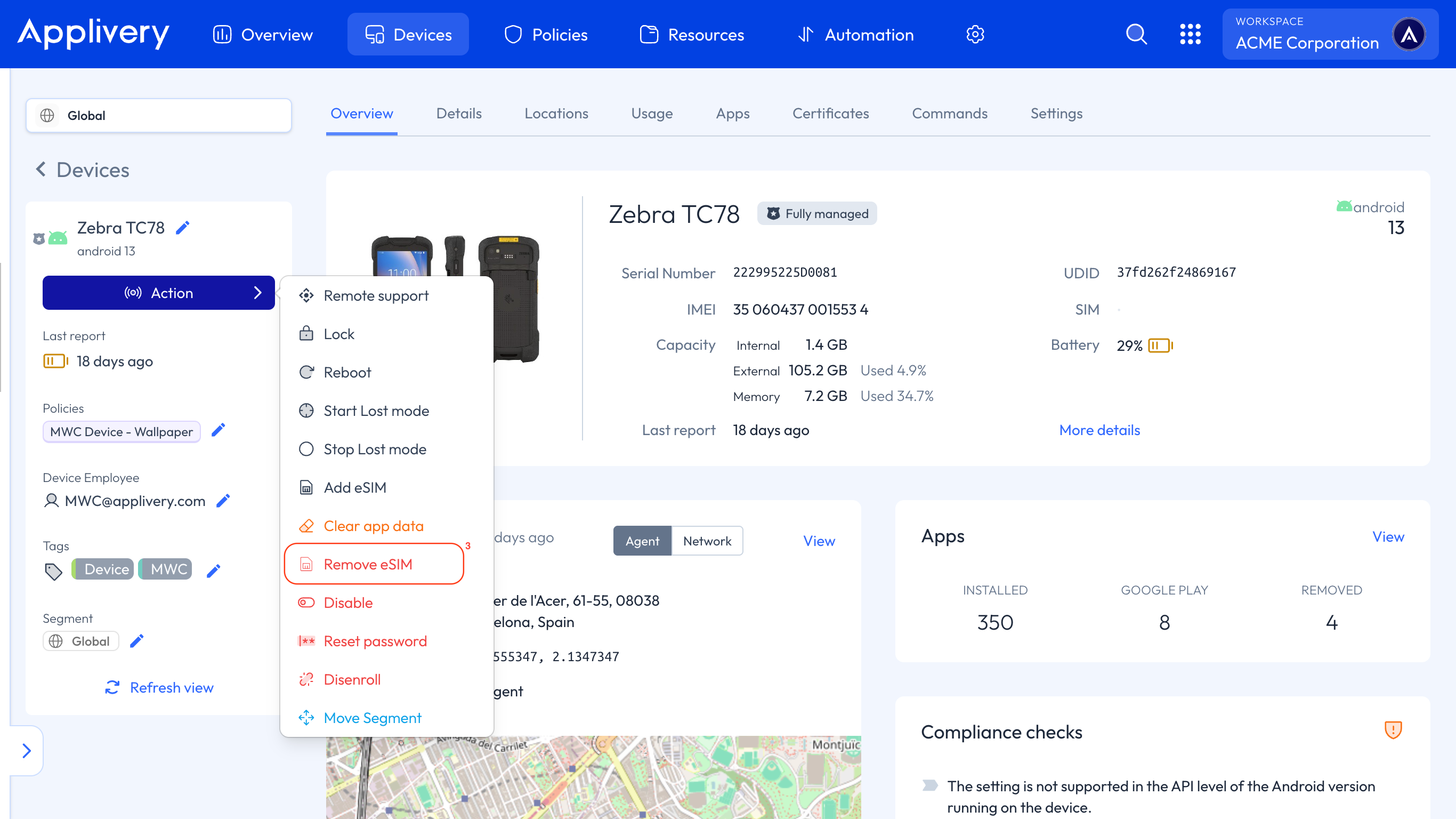
A modal window will open, where you can provide the ICCID of the eSIM to remove.
Additional Policy configurations
With the latest Android Management API updates, Applivery now supports a new Policy-level configuration that gives administrators greater control over eSIM management on corporate Devices.
The User-Initiated Add eSIM Settings configuration allows IT administrators to control whether end users can add eSIM profiles on Company-Owned Android Devices.
Its purpose is to enable or restrict user-initiated eSIM additions, helping maintain security and compliance by ensuring that only authorized eSIM profiles are added.
Ensure your Devices are running Android 15 or later to take full advantage of these eSIM management features.