
The Applivery Apps API (Integrations API) uses Bearer token authentication. To interact with the API programmatically — whether to upload Builds, query build details, integrate with a CI/CD pipeline, or embed the Applivery SDK in your App — you need an App API Token scoped to the specific App you want to work with.
Each App in Applivery can have multiple tokens, which makes it easy to issue separate credentials for different integrations (e.g., one token for Bitrise, another for Fastlane, another for a local script) and revoke them independently without affecting other workflows.
How App API Tokens Work
Tokens are per-app — a token created for one App cannot be used to access a different app.
Each App can have multiple tokens simultaneously, with no enforced limit.
Tokens are Bearer tokens — they must be included in the
Authorizationheader of every API request.Tokens do not expire automatically. They remain valid until explicitly deleted.
Deleting a token immediately and permanently invalidates it. There is no way to restore a deleted token.
Creating an App API Token
Once in the Applivery Dashboard, select the App you want to generate a token for. Navigate to the Settings tab, then select API Tokens from the left-hand menu.
Click + Create API token. Enter a descriptive name that clearly identifies the integration or system that will use this token — for example:
Bitrise CIFastlane releaseAzure DevOps pipelineLocal upload script
A meaningful name makes it much easier to identify and revoke the right token later, especially when managing multiple integrations.
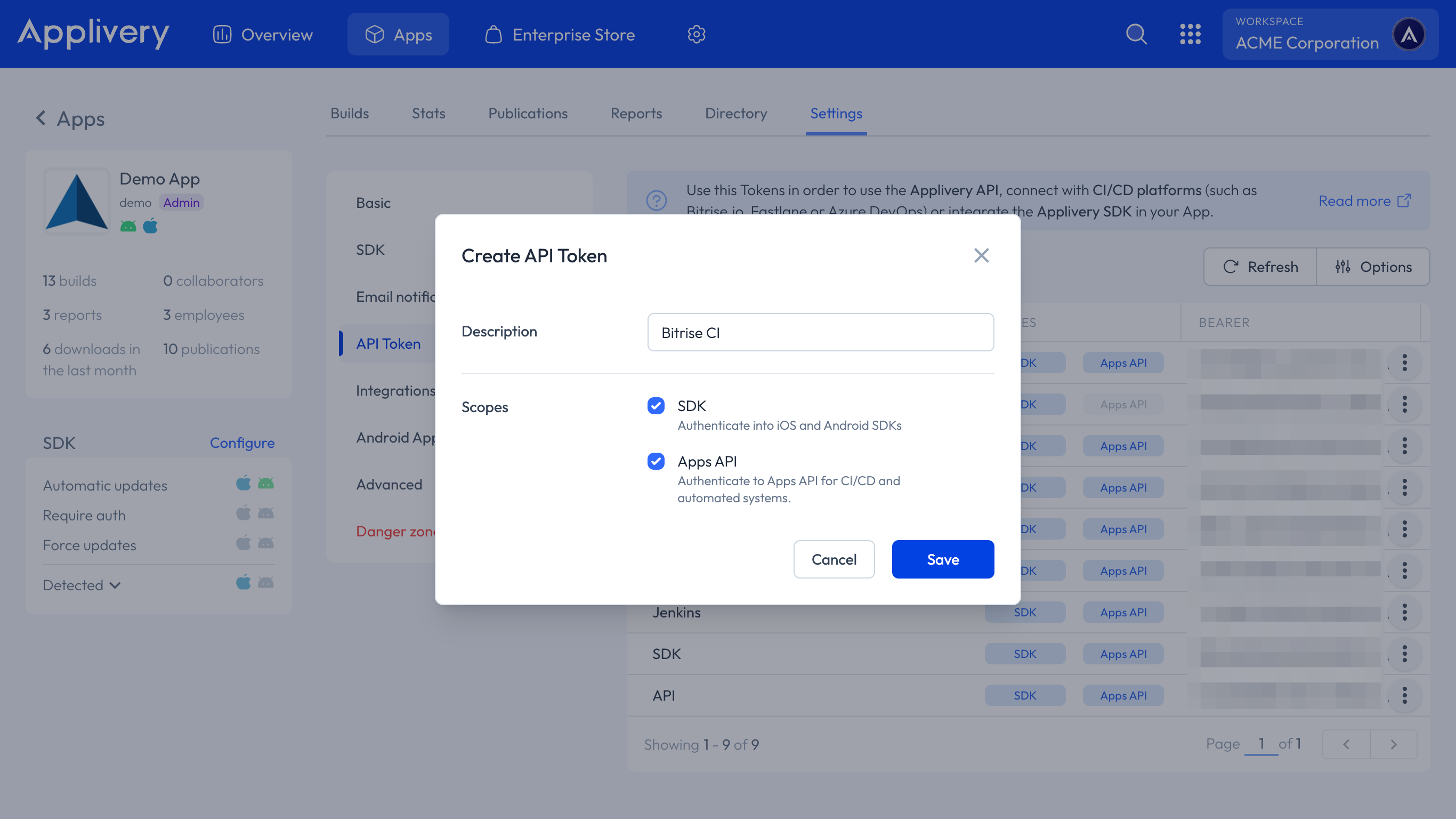
Click Save. The token will appear in the list.
Click the copy icon next to the newly created token to copy the Bearer token string to your clipboard.
Store the token securely. Treat it like a password — do not commit it to version control, embed it in client-side code, or share it in plain text. Use environment variables or a secrets manager in your CI/CD pipeline to inject the token at runtime.
Using the Token in API Requests
Include the token in the Authorization header of every request using the Bearer scheme:
Authorization: Bearer YOUR_APP_TOKEN
Example — uploading a Build with curl:
curl -X POST https://upload.applivery.io/v1/integrations/builds \
  -H "Authorization: Bearer YOUR_APP_TOKEN" \
  -F "file=@/path/to/your/app.ipa"
Example — listing Builds:
curl -X GET https://api.applivery.io/v1/integrations/builds/ \
  -H "Authorization: Bearer YOUR_APP_TOKEN"
For the full list of available endpoints and request parameters, see the API Reference.
Revoking a Token
You can revoke a token at any time by deleting it. This immediately invalidates the token — any system or integration using it will stop working instantly.
Deleting a token is permanent and cannot be undone. Once deleted, the token cannot be restored. Any integration relying on it must be updated with a new token before it can function again.
To delete a token:
Go to Settings > API Tokens for the relevant app.
Click the three vertical dots next to the token you want to remove, then select Delete from the menu.
Confirm the action when prompted.
Best Practices
One token per integration. Issue a separate token for each system or pipeline that needs API access. This means you can revoke a single integration's access without disrupting others.
Use descriptive names. Name tokens after the system or workflow that uses them (
Fastlane release,Bitrise staging) so you can immediately identify what a token is used for when you need to revoke it.Store tokens as secrets. Never hardcode tokens in source code or configuration files committed to version control. Use your CI/CD platform's secrets management (e.g. Bitrise Secrets, GitHub Actions Secrets, Azure Key Vault) to inject tokens at runtime.
Rotate tokens periodically. Even though tokens do not expire automatically, it is good practice to rotate them periodically — especially after team member changes or security incidents. Create the new token, update your integrations, then delete the old one.
Audit your token list regularly. Remove tokens that are no longer in use to reduce your attack surface. If you are unsure whether a token is still active, create a replacement, migrate the integration, and then delete the old one.