
Before starting using Applivery Apple Device Management, there are a few steps you must go through in order to enable your Workspace to interact with Apple services and register your Apple Enterprise organization. The next steps will guide you through the process:
Sign-in to the Applivery Dashboard and navigate to the Settings section, and locate the Apple Setup section in the left-hand menu. Besides step 1, click the Download CSR button.
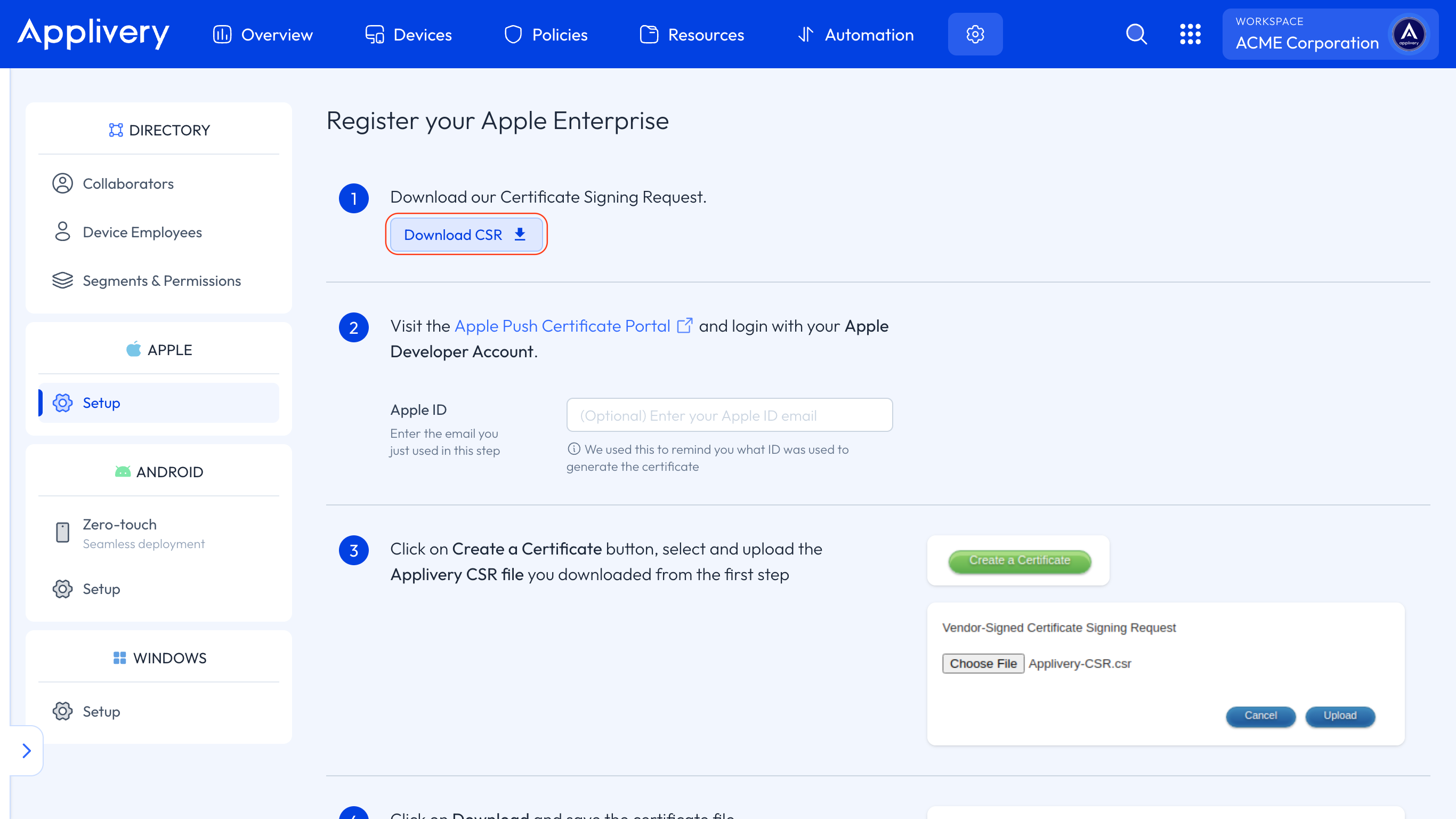
A file named Applivery-CSR.csr will be downloaded to your computer.
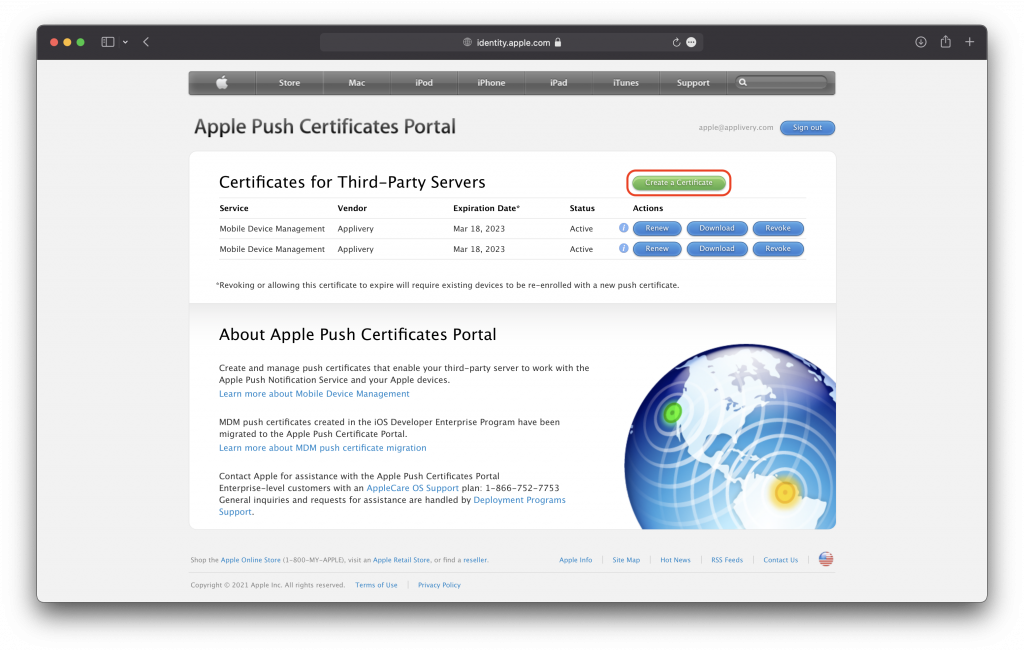
Now visit Apple Push Certificate Portal and log in with your Apple ID. Once inside the portal, click on the Create a Certificate button.
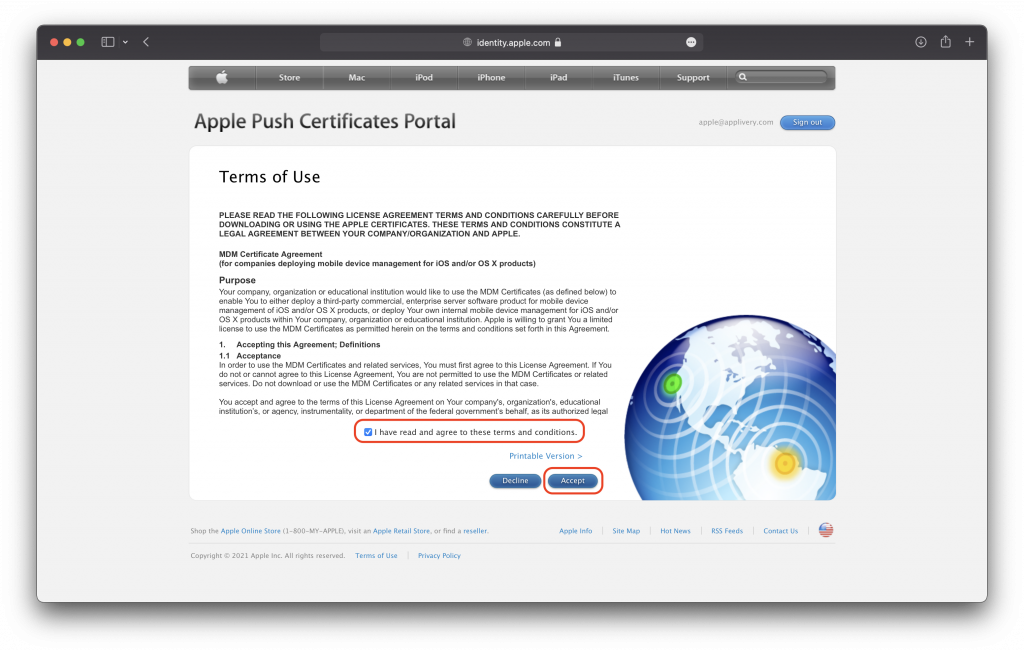
Read and accept the Terms of Use.
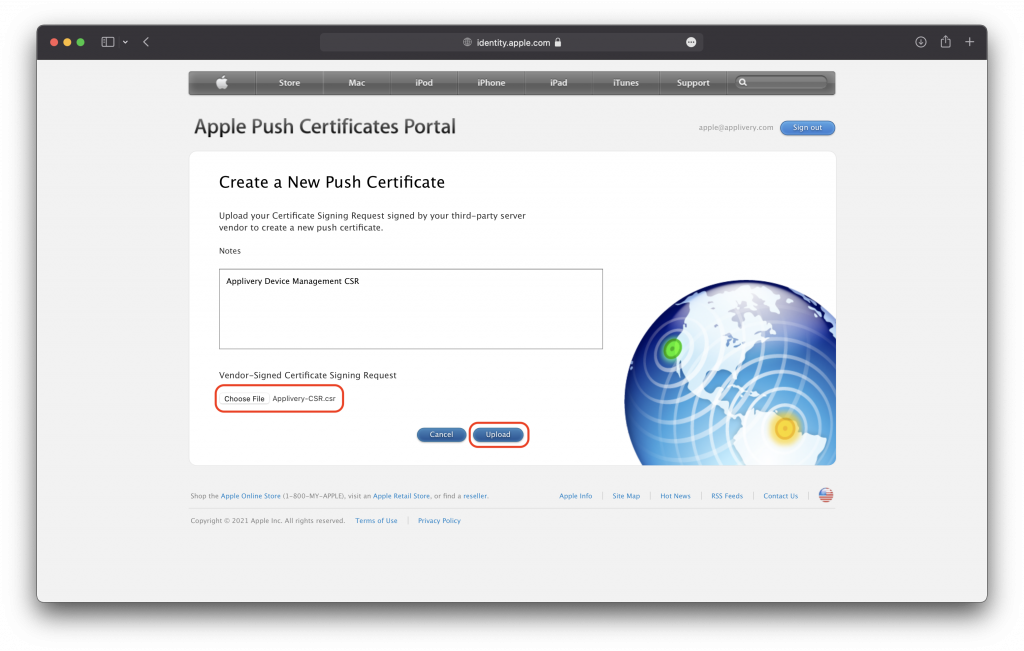
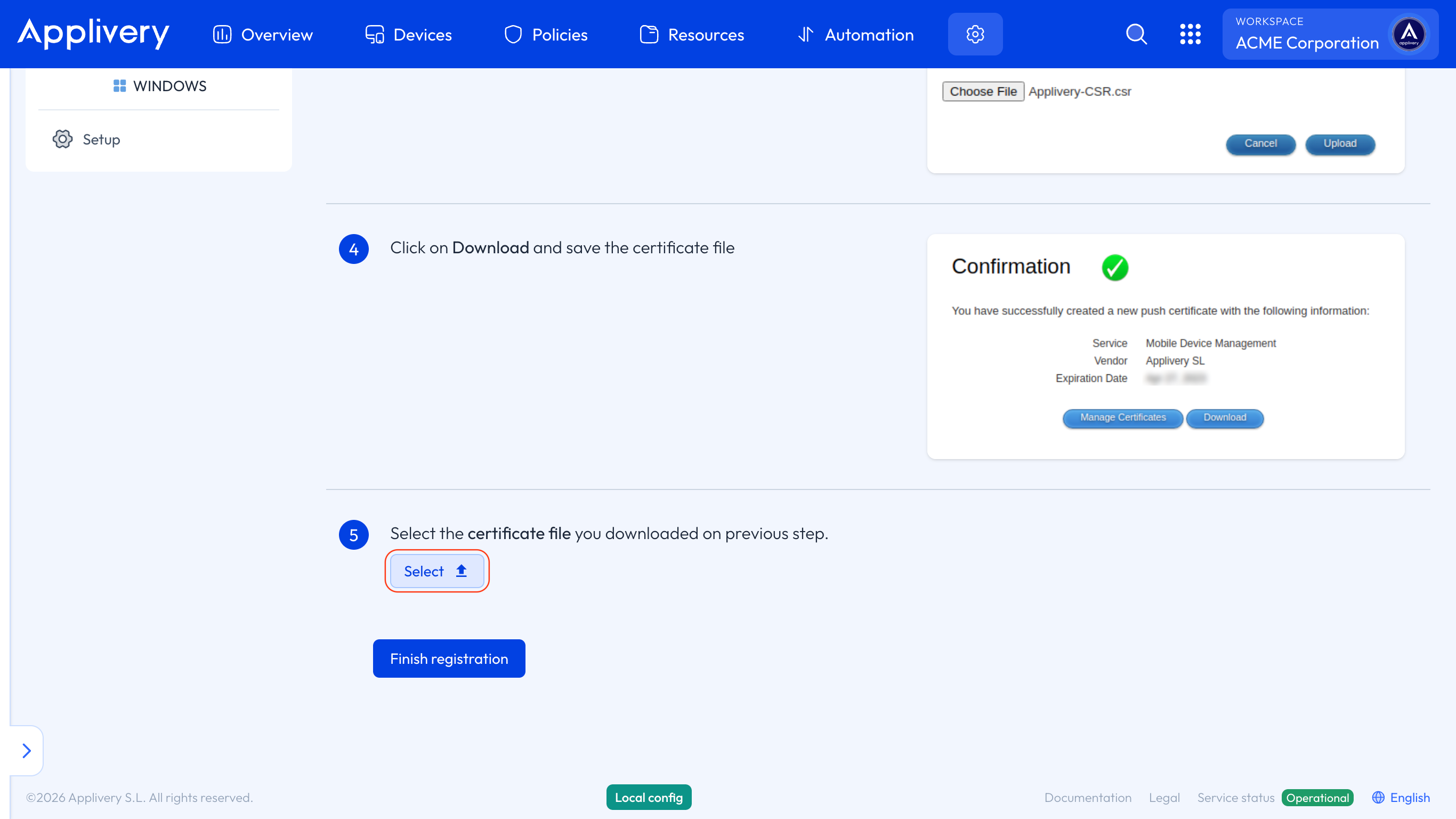
Select and upload the Applivery-CSR.csr file you downloaded in Step 1 and click Upload.
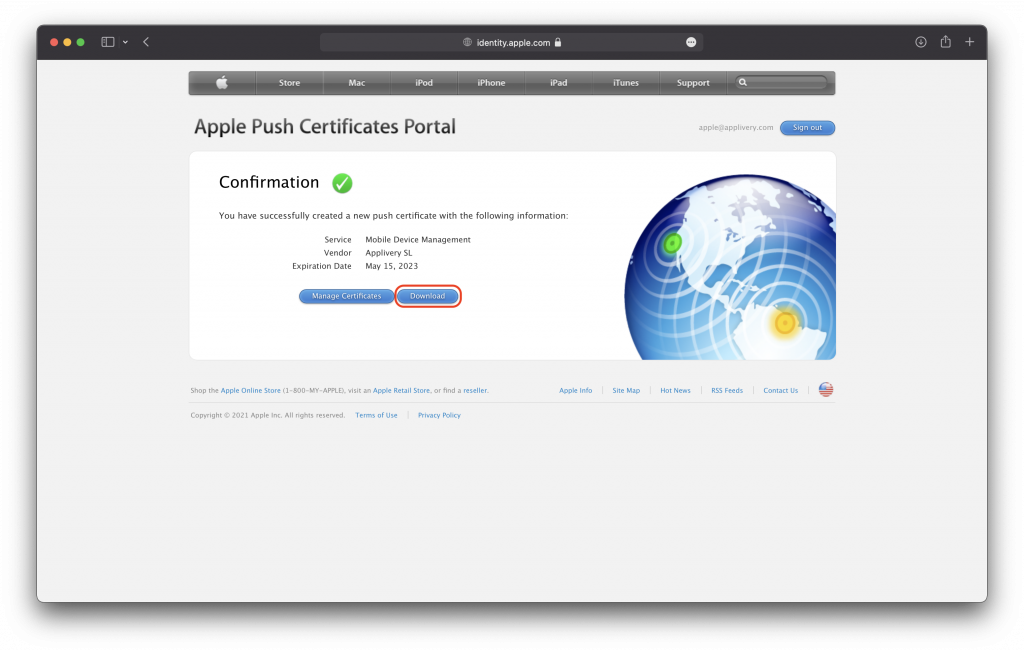
Click on Download and save the certificate .pem file.
Now get back to Applivery’s dashboard and, beside step 5, click Select and upload the certificate (.pem file) downloaded from the previous step. Then click Finish registration button to finish.
We highly recommend filling in the Apple ID field in Step 2, as the Apple Push Certificate must be renewed annually using the same account to ensure uninterrupted device management. Otherwise, you may lose control over enrolled Devices.