
Disabling USB ports on Android Devices is an increasingly common security practice in corporate environments, particularly in industries where data protection and physical access control are critical. With MDM solutions like Applivery, organizations can restrict USB port functionality to prevent unauthorized file transfers, the use of external storage Devices, or charging from untrusted sources. This capability enhances the organization’s security posture and helps safeguard against data leaks and malware infections introduced through physical connections.
Disabling USB Data Transfer
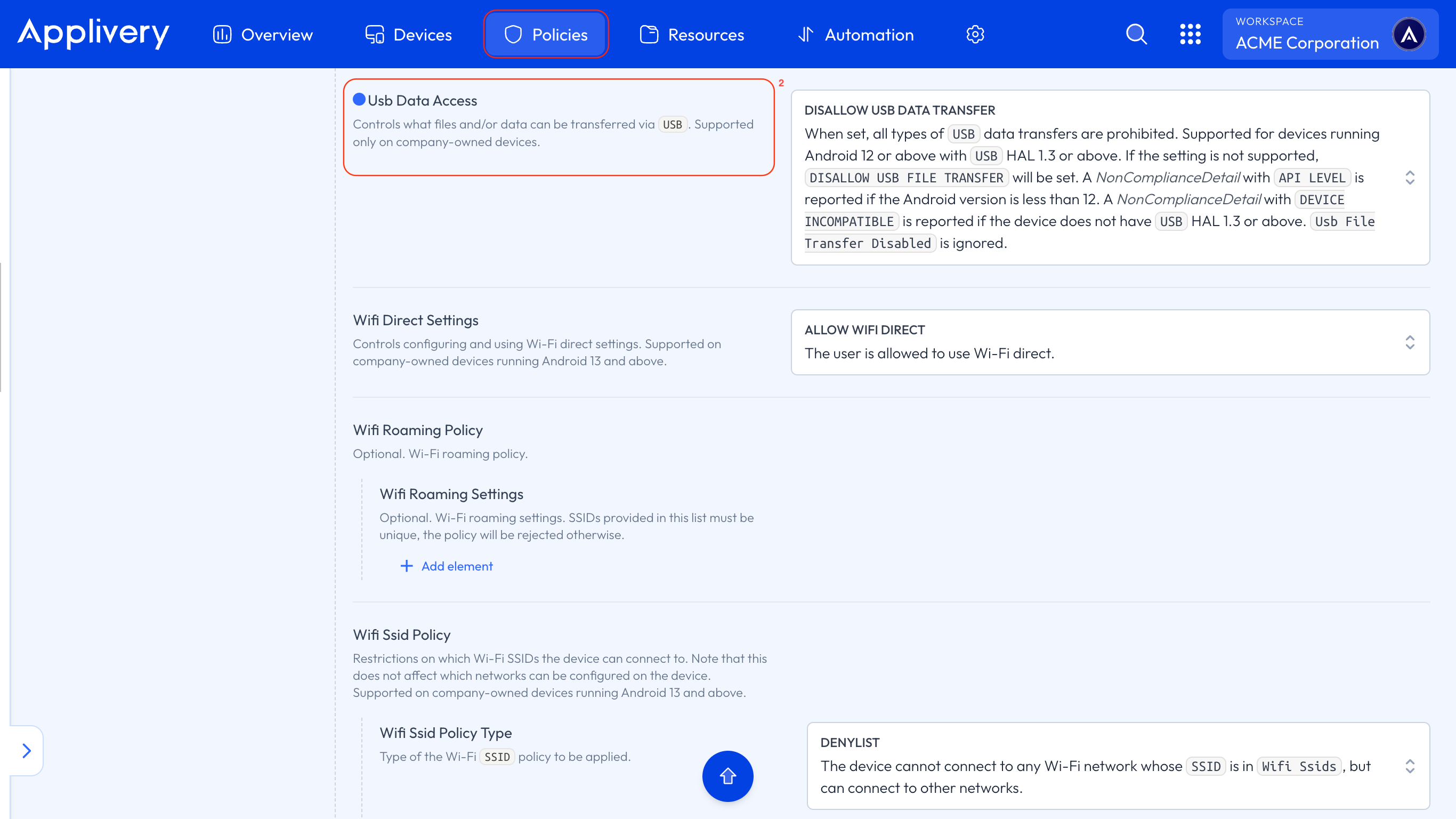
Once in the Applivery Dashboard, navigate to Policies (1).
Select the Android Policy where you want to perform this configuration.
From the left-hand menu, click on the Network section.
In the Device Connectivity Management (3) configuration, choose DISALLOW USB DATA TRANSFER under USB Data Access (4).
Disabling USB ports on Android Devices adds an important layer of protection against external threats and unauthorized usage. Applied remotely and centrally, this measure ensures that corporate Devices are used strictly in line with organizational security Policies. When implemented effectively, it not only minimizes operational risks but also reinforces compliance with regulatory standards, particularly in environments where information security is paramount.