
Applivery provides support for integrating Google, allowing you and your users to log in using their Google credentials, simplifying authentication and user management.
Set up your Google login
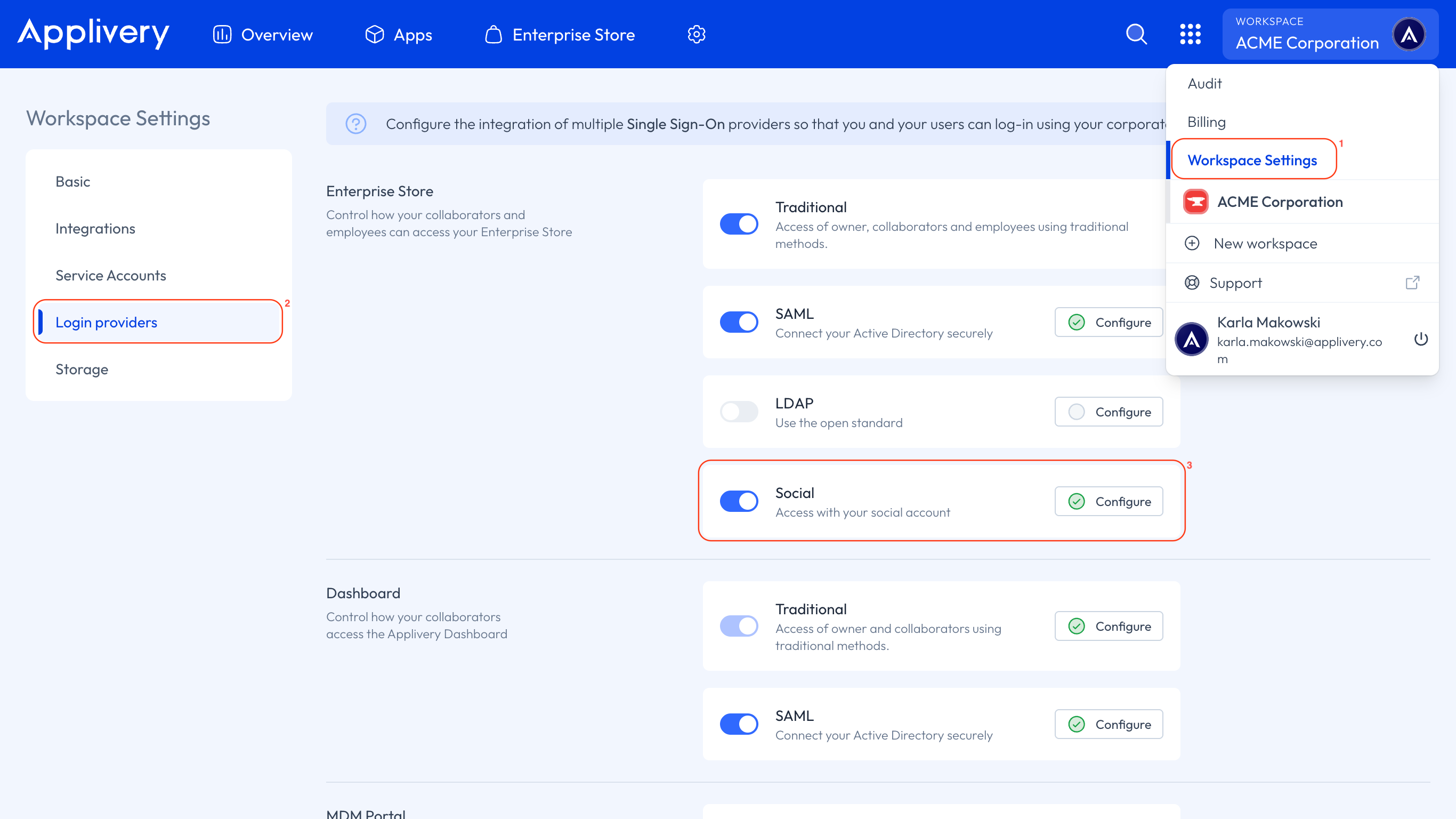
Once in the Applivery Dashboard, go to your Workspace Settings 1 from the top dropdown menu, then open Login providers 2 in the left-hand menu and click the Social option under the Enterprise Store section 3.
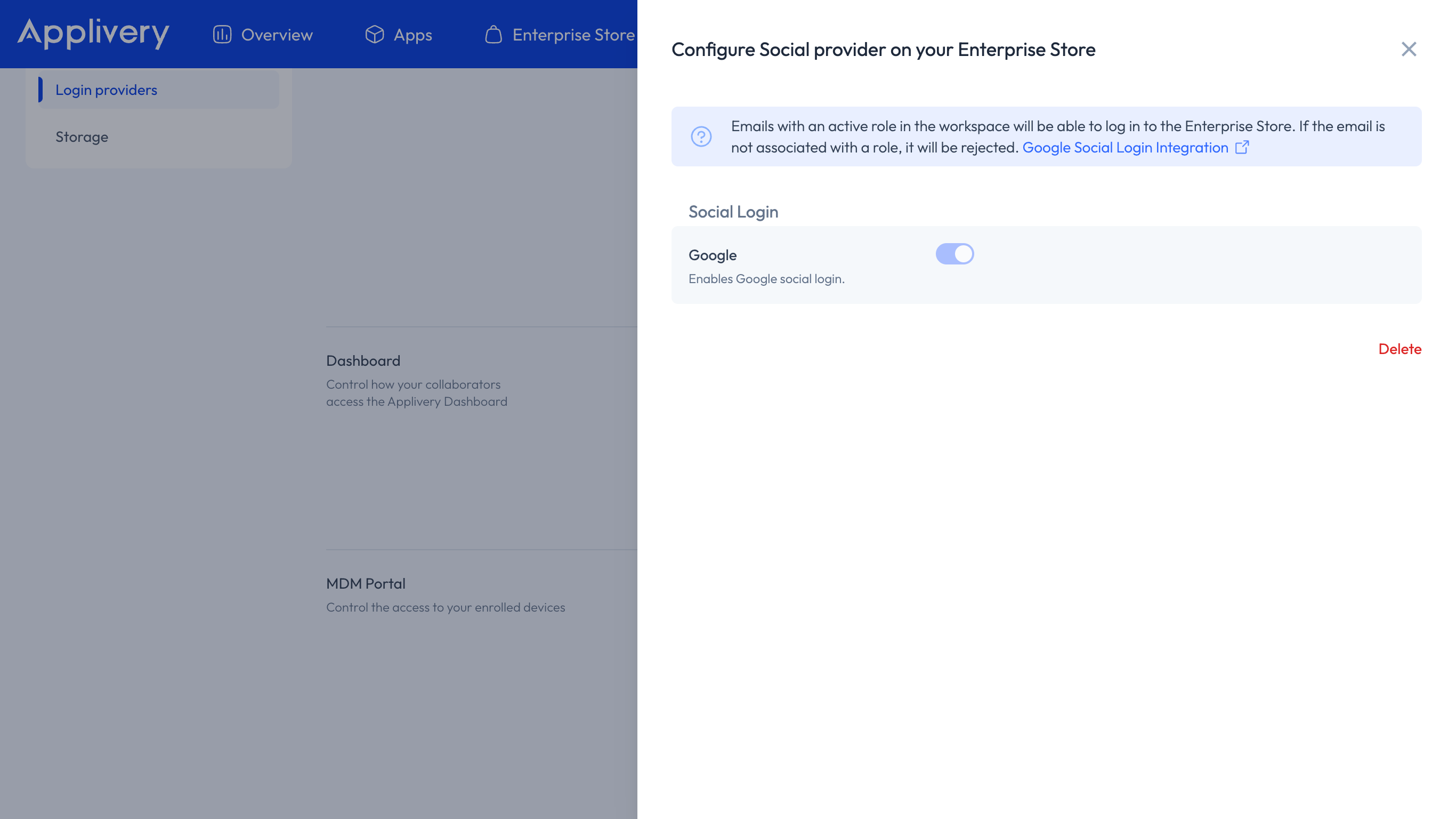
You will only need to Save the configuration.
Warning
Once you have saved the configuration, don’t forget to enable the switch for your integration to start using it in your Enterprise Store.
Warning
Only emails with an active role in the Workspace can access the Enterprise Store. Emails without an assigned role will be denied access.