
Protecting corporate data privacy is essential to ensuring the security and integrity of your organization. With the adoption of COPE (Corporate-Owned, Personally Enabled) and BYOD (Bring Your Own Device) enrollment methods, businesses and employees gain flexibility—but also face new security challenges. To reduce risk, it’s important to establish a clear boundary between the personal and work profiles on Android Devices.
With Applivery, you can prevent information from being transferred between profiles, including disabling common system functions like Copy/Paste across work and personal environments.
How to configure cross-profile restrictions
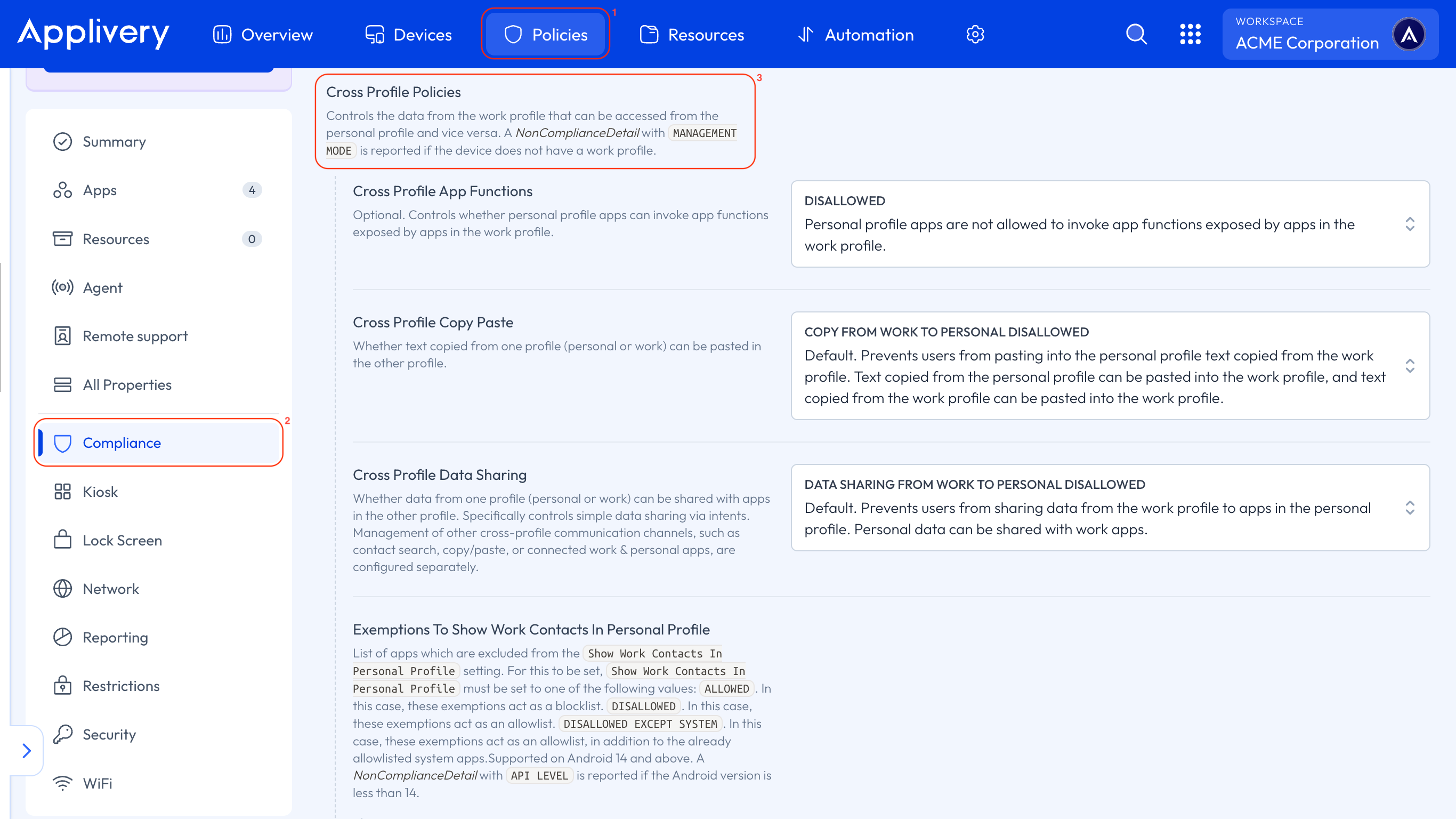
Once in the Applivery Dashboard, navigate to Policies (1).
Select the Android Policy where you want to apply the restriction. Then, go to the Compliance (2) section in the left-hand menu.
Locate the Cross Profile Policies (3) settings. There, you will find the following options:
Cross Profile Copy Paste: Select Copy from Work to Personal Disallowed to block copy/paste actions between the work and personal profiles.
Cross Profile Data Sharing: Select Data Sharing from Work to Personal Disallowed to prevent data from being shared between Apps across profiles.
Show Work Contacts in Personal Profile: Disable this option if you want to hide work contacts from appearing in the personal profile’s contact list.
Applying these Policies will help ensure corporate data remains within the managed environment, reinforcing the separation between work and personal use on Android Devices.