
By default, Applivery natively supports Android, iOS, macOS, and Windows Builds. Custom Build Platforms extends this to cover any platform your team distributes to — including game consoles, alternative storefronts, web runtimes, and archive formats — all managed through the same Applivery workflow.
This is particularly useful for game studios, cross-platform development teams, and organisations distributing to Devices or environments outside the four major mobile and desktop operating systems.
Key capabilities
Extended platform support — upload and distribute Builds for platforms beyond iOS, Android, macOS, and Windows, including PlayStation, Xbox, Nintendo Switch, Steam, and more.
Manual metadata configuration — unlike native platforms, where Applivery extracts metadata automatically from the Build file, Custom Platforms require you to provide packageName, packageVersion, and optionally packageIcon manually at upload time.
Unified management — all Builds, regardless of platform, are managed in the same Applivery Workspace and accessible through the same Upload API, keeping your distribution workflow consistent across every target.
Raw file distribution — Custom Platforms distribute build files in their original format without automated processing, giving you full control over what gets delivered.
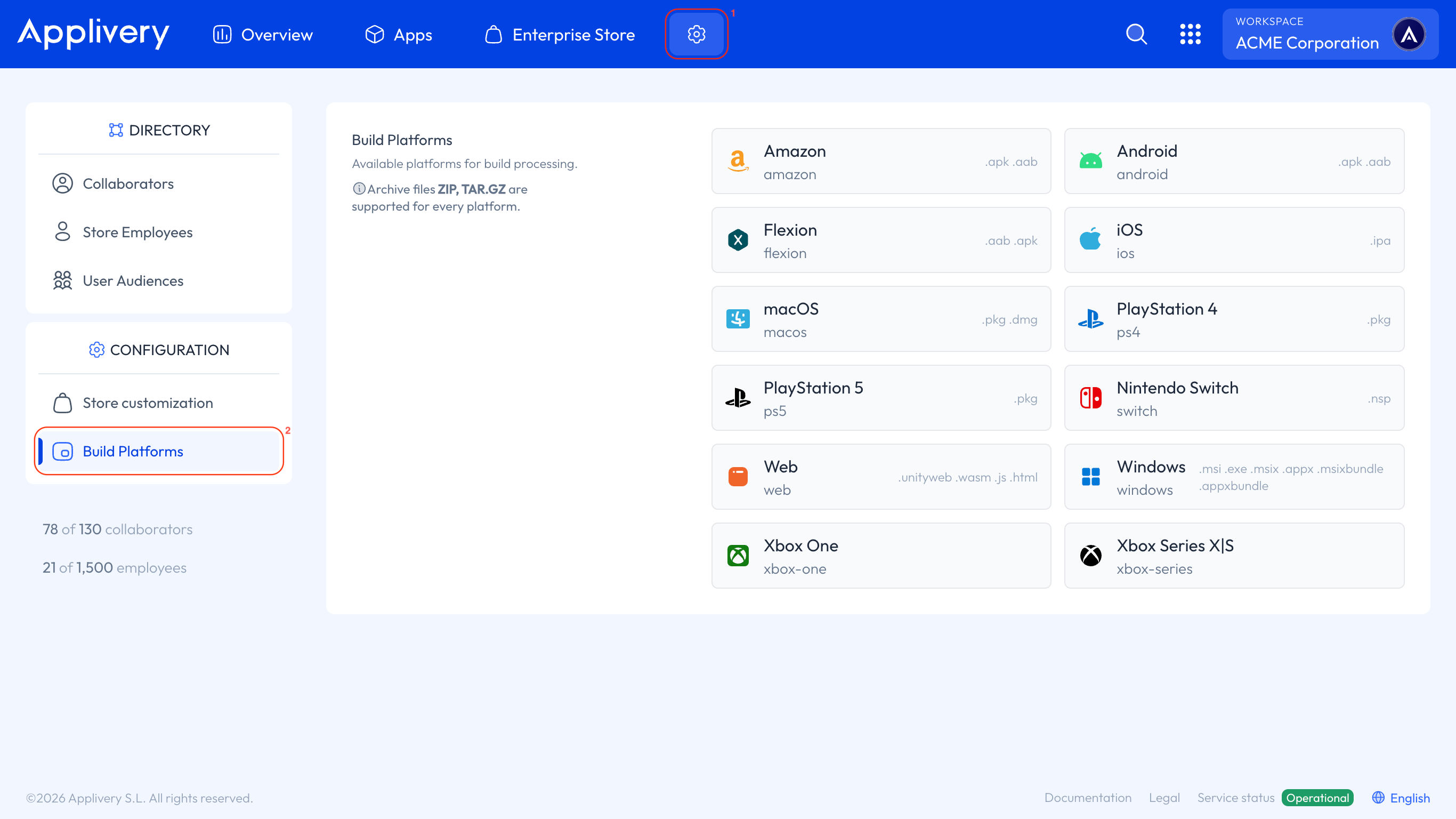
Supported platforms and file extensions
Every custom platform supports .zip and .tar.gz as universal container formats. Platform-specific supported extensions are listed below:
Platform identifier | Supported extensions |
|---|---|
|
|
|
|
|
|
|
|
|
|
|
|
|
|
|
|
|
|
|
|
|
|
|
|
|
|
|
|
|
|
|
|
|
|
|
|
All platforms also accept .zip and .tar.gz as generic archive formats, regardless of the extensions listed above.
How to upload a Build for a Custom Platform
Follow the standard build upload process described in How to upload your first build. You can upload via the Dashboard or the Upload API.
If you are uploading a .zip or .tar.gz file that does not correspond to a native platform, Applivery will prompt you to select the target Custom Platform in the next step.
After uploading, select the platform the Build is intended for from the Custom Platform selector. This tells Applivery how to categorise and display the Build within your Workspace.
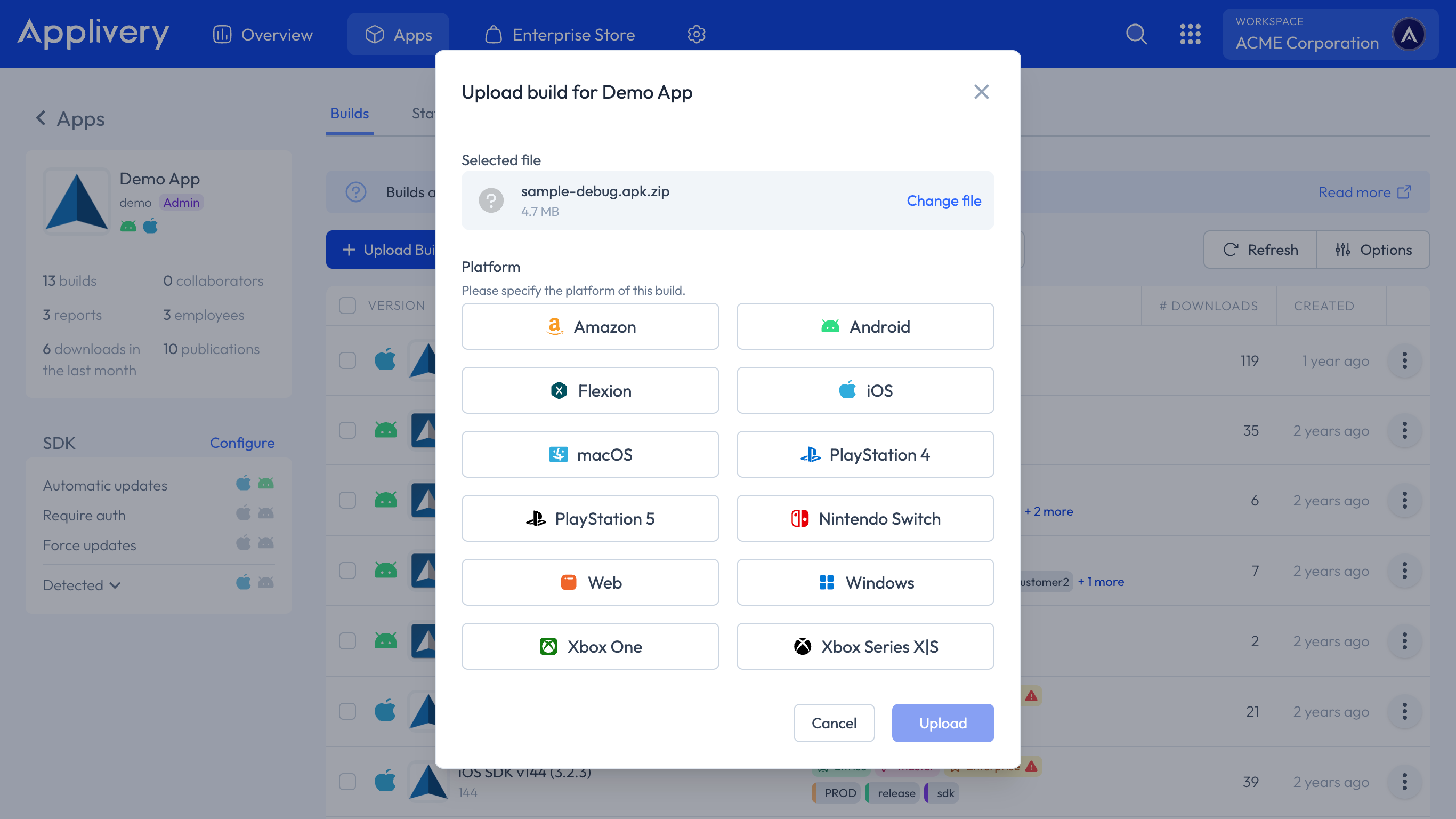
Because Custom Platforms do not undergo automated metadata extraction, you must supply the following information manually:
Field | Required | Description |
|---|---|---|
| Yes | The unique identifier for your App or build (e.g. |
| Yes | The version string for this Build (e.g. |
| No | An icon image to represent the Build in the Applivery interface. |
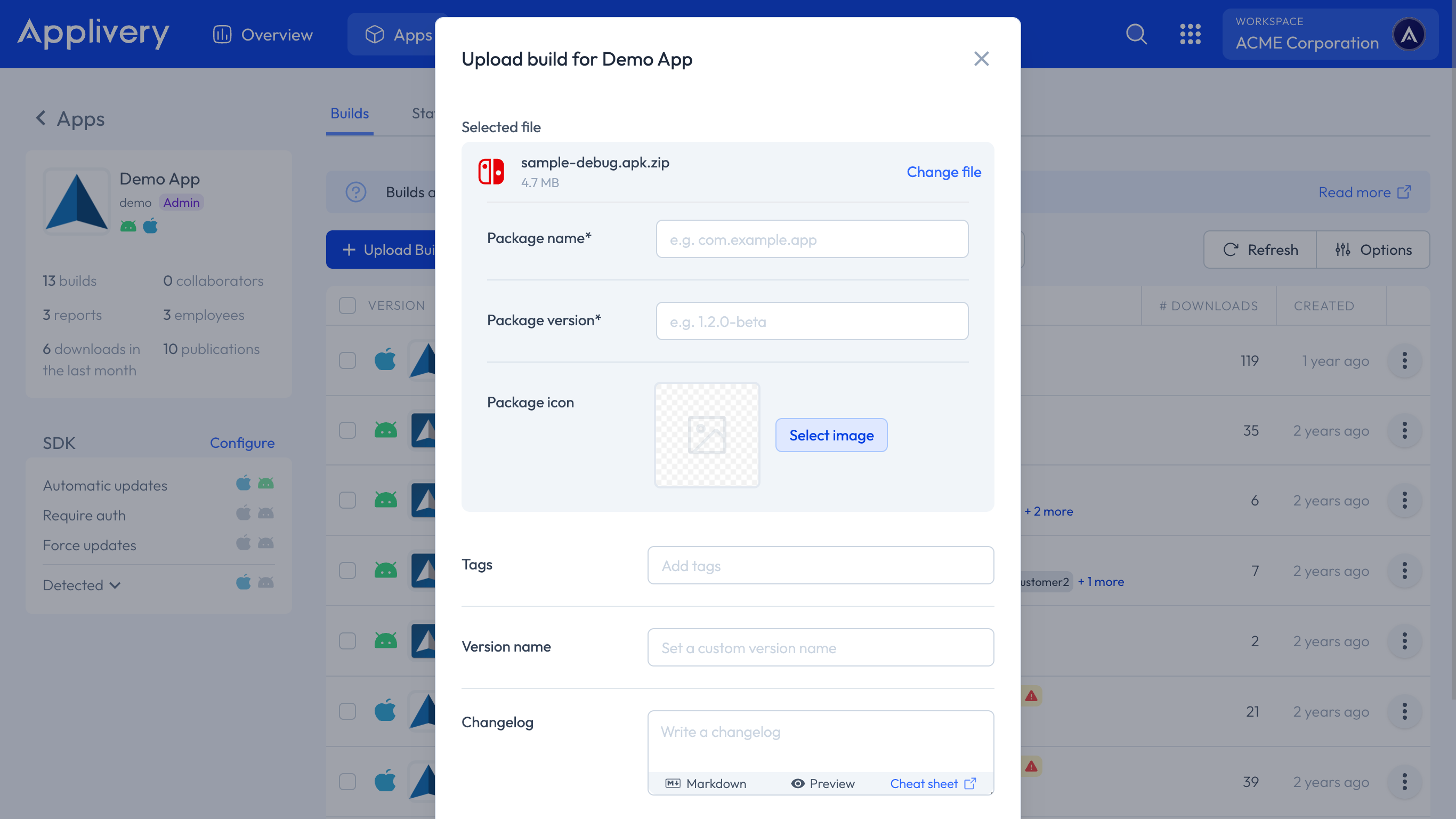
Once submitted, the Build will appear in your App's Builds section alongside any other Builds for that project.
How to enable Custom Platforms
Custom Build Platforms are not enabled by default and must be activated at the Workspace level.
To view your currently enabled platforms, go to the Applivery Dashboard, navigate to the Settings (1) section, and select Build Platforms (2) from the left-hand menu.
To enable Custom Platforms for your Workspace, contact the Applivery Support team at [email protected].
We will enable the feature and help you configure the specific platforms you need.
Using the Upload API with Custom Platforms
Custom Platforms are fully supported through the Applivery Upload API, allowing you to integrate build uploads into your CI/CD pipeline just as you would for native platforms. The same endpoint is used — you simply specify the custom platform identifier in your request.
See the Upload API documentation for full details on request format, authentication, and required parameters, including packageName and packageVersion for custom platform Builds.