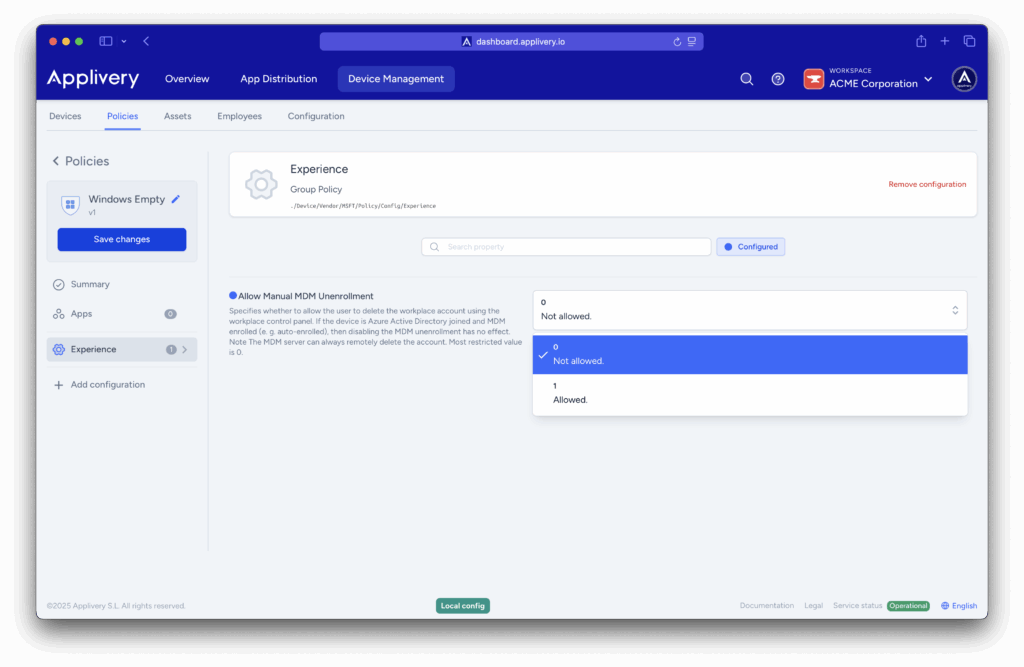
By default, Windows allows users to manually disconnect their device from a Mobile Device Management (MDM) provider. In managed environments, this can pose a risk, as it enables end users to bypass security or compliance configurations. To maintain control and ensure persistent management, you can disable this option by configuring a policy.
Disabling manual MDM removal
Once in the Applivery dashboard, head to the Device Management section and select Policies (1). Choose the policy where you want to add this configuration.
Access the Device Management section in the Applivery dashboard and select Policies.
Choose the policy you want to modify or create a new one.
In the left-hand menu, select + Add configuration (2), and search for Experience (3).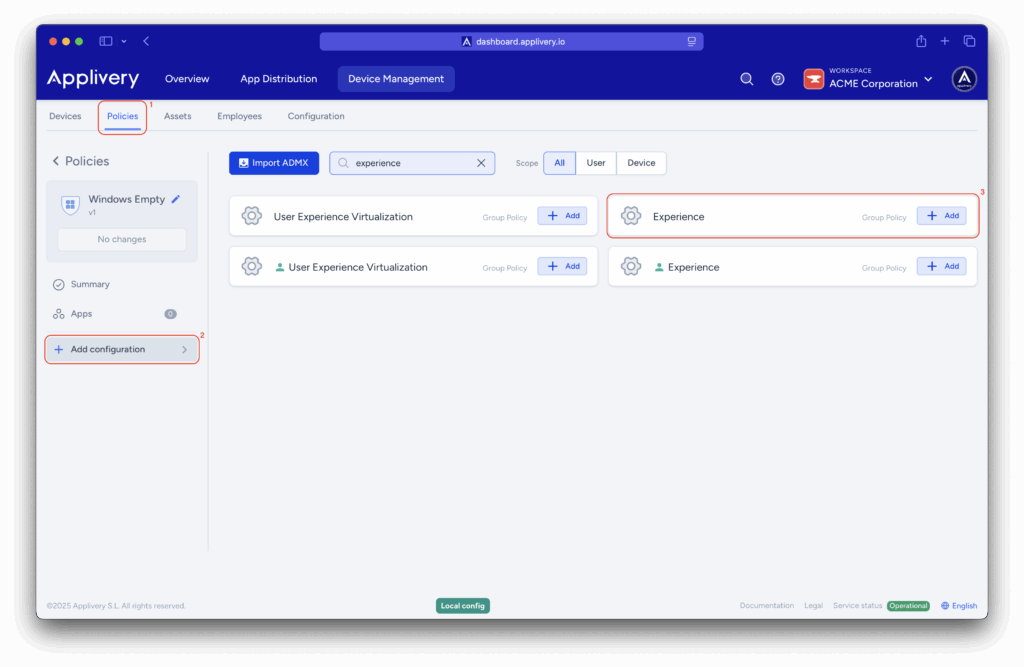
Locate the Allow Manual MDM Unenrollment setting and set its value to 0. This will prevent users from manually unenrolling the device from Applivery.